COMPAQ IPAQ PM-1 5
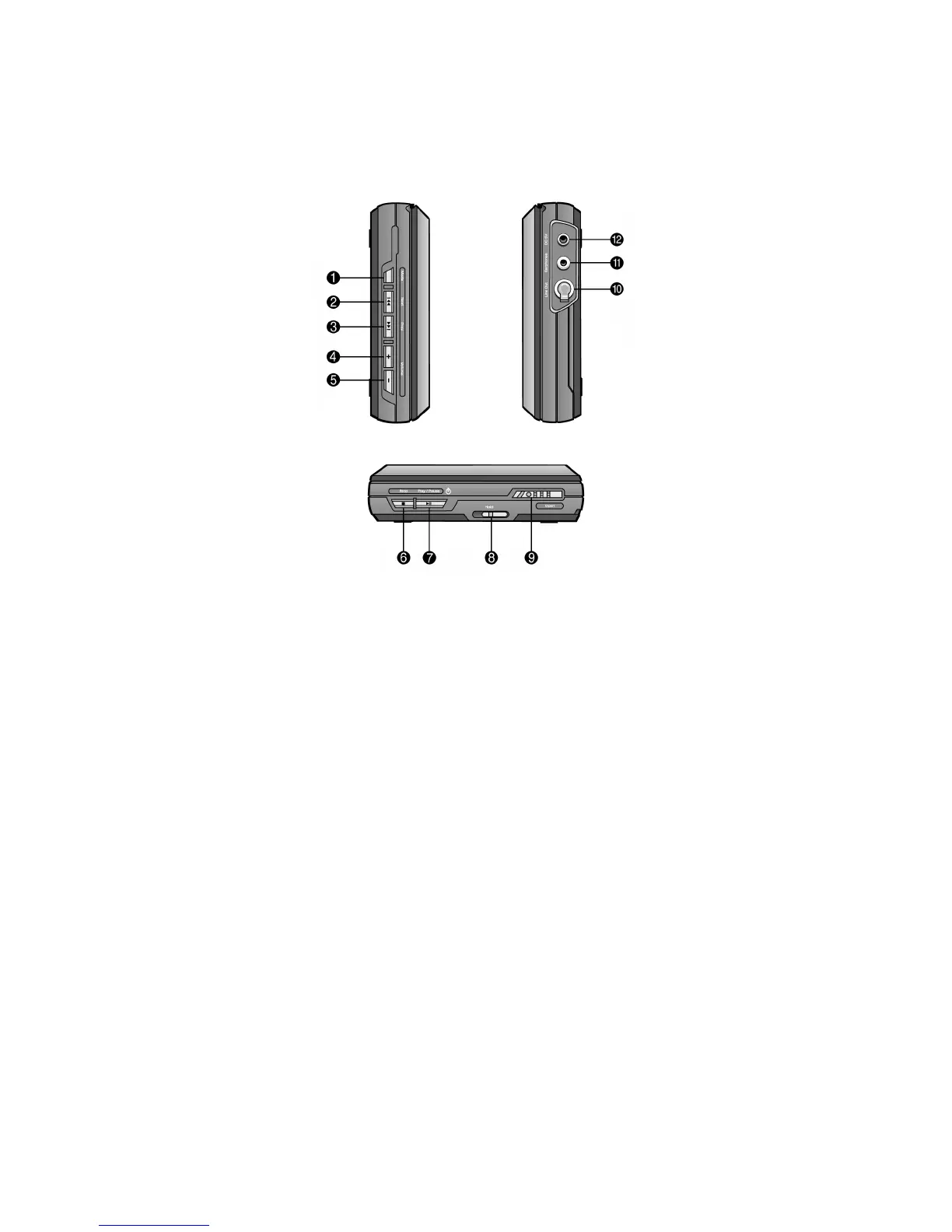
Features of Your PM-1 Player
Your PM-1 player has the following features on its left side, front, and right side.
Indicator Control Function
1
Mode Program, Repeat, Equalizer, File/Album searching
2
Next Skip forward to next track/directory
3
Prev Skip backward to previous track/directory
4
Volume + Increase the volume level
5
Volume – Decrease the volume level
6
Stop Stop playback / power off (hold for 3 seconds)
7 Play/Pause Start playback / power on / pause playback
8 Hold Lock all controls on the player
9 Open Open or lock the door of the player
:
Headphone Headphone jack
;
Line Out Line out jack to connect with other amplifiers
<
DC 3V DC 3V to connect with power supply adapter



 To Next Page