10
OptiRatio
OptiRatio Aspect Selection provides 4:3, 16:9, Panorama, Full Screen, and
SmartZoom aspect ratio selections to provide the best TV and video watching
on different type monitors.
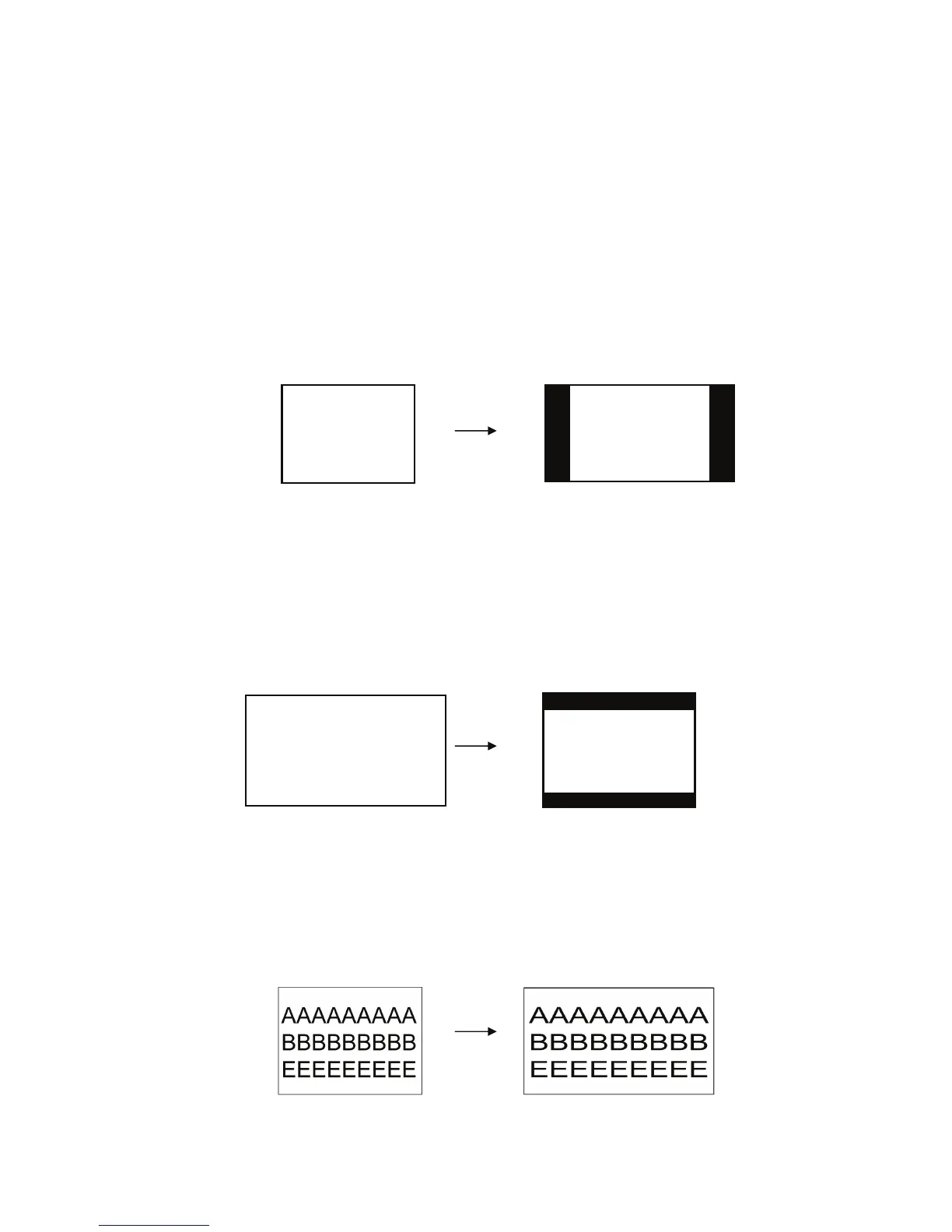
4:3 Mode: When the 4:3 formats TV/video display on 16:9/16:10 wide-screen
monitors, it can keep the 4:3 aspect ratio video and add letter box on both left
and right sides.
16:9 Mode:
When the 16:9 formats TV/video display on 4:3/5:4 standard monitors, it can
keep the 16:9 aspect ratio video and add letter box on both the top and bottom.
Full Screen Aspect Ratio Mode:
Stretch all the input TV and video to full screen display. But if the original video
format is 4:3, it will look a little squash.
Original video format 4:3
Add letter box on both
left and right sides of
wide-screen monitors
Original video format 16:9
Add letter box on both
top and bottom sides
of standard monitors.
Stretch video to fit monitors
Original video format 4:3



 To Next Page