… you hear a long beep after your combination last digit and the lock does not open?
You are entering a not valid combination. Repeat the operation making attention you are
entering the correct code.
… light signal flashes every 10 seconds, and, when you push a button you hear a long
beep?
You entered 4 times a wrong combination and the lock is in time penalty. Wait 5 minutes
and try again. Two more consecutive invalid codes will restart additional 5 minutes penalty
period
… you do not hear any beep when you push a button?
Replace the battery. If the problem is not solved, call your service centre.
… you can open but you hear a long sequence of beeps after your combination last digit?
Immediately replace the battery. (use only 9V Duracell Procell Alkaline or Energizer
batteries)
Press and hold Key [0] until double signal. The light remains on during the following actions.
• Enter old code (double signal)
• Enter new code (double signal) and repeat new code (double signal)
In case of entry errors (long signal), the old code remains valid.
Press and hold Key [3] until double signal.. The light remains on during the following action.
• Enter main code.
The secondary code is deleted.
A series of signals indicates that the battery is weak and must be replaced. Use only 9V
ALKALINE - batteries! The battery compartment is located at the bottom of the entry unit.
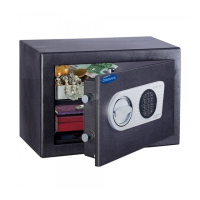
For Entry Units ST40•xx and EC10•xx: The battery compartment is located inside the safe. In case the
battery is drained completely, uncover the power terminals in the front of the Enty Unit and power with
fresh battery. (see fig. on page 1) Keep battery pressed against the terminals until lock is completely
open.
Change code: (with safe door open, see fig. C)
Delete the secondary code: (see fig. D)
TOSCANA Electronic Safe 9
01--34 TOSCANA Instruction 11.2009 :1 – 8 Mobil-5.06 print 10.11.2009 8:29 Uhr Seite 9


 To Next Page