6
j. Once opened, the display shows the message "OPENEd".
9.OPENINGWITHTHEEMERGENCYKEY
a. Remove the emergency opening key cover to the right side of the keyboard.
b. Enter one of the two emergency keys supplied with the notch in the lock.
c. Turn the key clockwise.
d. When thereisasufcientvoltage tothe battery,thedisplay showsthe
message ''HELLO' followed by "OPENEd" and the safe is open.
e. To remove, you need to turn the key back to the start position - it is closed
again.
10. PROTOCOL FUNCTION
The safe model "VISION" is equipped with a simple protocol function.
To properly use the protocol function, we recommend that during safe commis-
sioning to set the current date and time.
The date is given in the format YYMMDD (Year - Month - Day).
The time is shown in the format HHMMSS (hour - minutes - seconds).
DATE / TIME PROGRAMMING
a. Tap the screen in the middle, the display shows "HELLO".
b. Press "*" twice.
c. The display shows "SUPER".
d. Enter the current master code (default 0-0-0-0-0-0).
e. Press"#"toconrm.
f. The display shows "CC --".
g. Enter "0 8".
h. Press"#"toconrm.
i. The display shows "SEt-dt".
j. Now enter the last two digits of the current year (eg. 17 for 2017), the
current month (i.e. May 5) and the current day.
k. Press"#"toconrm.
l. The display shows one hour of the system.
m. Enter the current time (in 24 hours format)
n. Press"#"toconrm.
o. The display shows "GOOD".
p. The date and time have been set.
q. The display shows "CC --".
r. To exit the menu, press the "*".
READING OPENING PROTOCOL
a. Tap the screen in the middle, the display shows "HELLO".
b. Press "*" twice.
c. The display shows "SUPER".
d. Enter the current master code (default 0-0-0-0-0-0).
e. Press"#"toconrm.
f. The display shows "CC --".
g. Enter "0 9" ein.
h. Press"#"toconrm.
i. The display shows the short message "rECOrd".
j. Indicate the last opening.
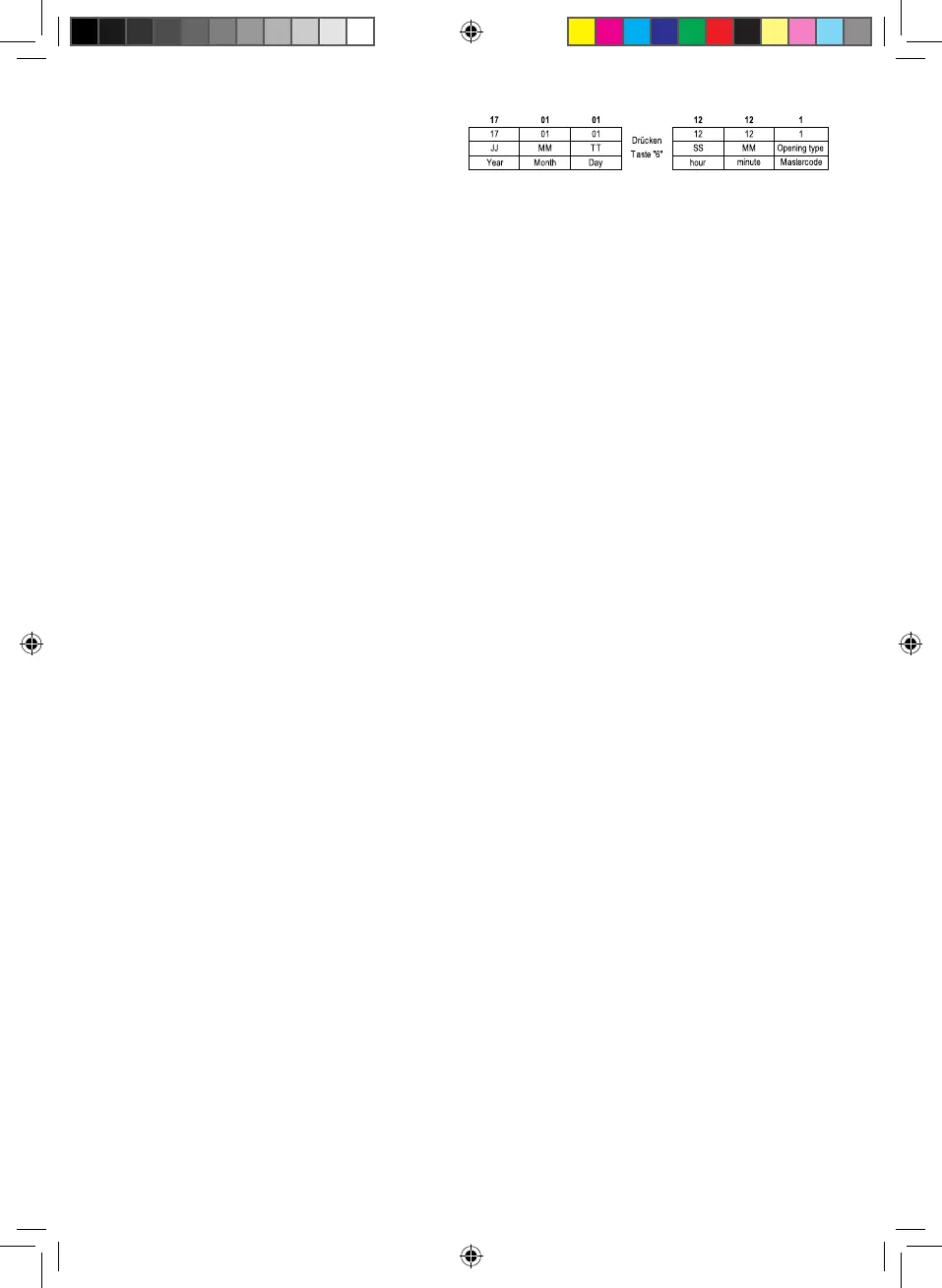
The protocol is displayed in the following format "YYMMDD" "SSMM - opening
type."
k. Key "6", indicating opening time and type.
l. Press "2" to indicate previous openings.
m. To exit the menu, press twice "*" key.
INFORMATION PROTOCOL
1 - Open with the master code.
8 - Open with the User Code.
9 - Open with the emergency key.
PROTOCOLEXAMPLE: 1701011212-1
Press "6" to indicate the time and type of opening.
NAVIGATING IN THE PROTOCOL MENU
6 - Indicating opening time and type.
2 - Indicating the previous opening.
4 - Indicating opening date.
8 - Indicating the next opening.
11.RESTOREELECTRONICLOCKTOFACTORY
SETTINGS
a. Remove the door trim panel.
b. Press"RESET"forveseconds.
c. Afterveseconds,thedisplayshows"RESET".
d. Electronic lock is reset to factory settings.
- Master Code "0-0-0-0-0-0"
- User Code "1-6-8-0"
- Date and time of the system time.
- Protocol Opening removed.
Vision.indd 6 27.02.2017 13:21:47


 To Next Page
 Loading...