Charging the Power Bank
• Using the included USB-A to USB-C cable, connect the larger
USB-A connector to a USB wall charger
• Connect the smaller USB-C connector to the USB-C input port
on the power bank
• During charging the LEDs will flash to show charging status
• When charging is complete the LEDs will remain on
• Using your phone or device’s charging cable, connect your
phone or device to the USB-A output on the power bank
• When your phone or device is connected, charging should
commence automatically
• If charging doesn’t start, press the On/Off button to start
charging
• When your phone or device is fully charged, the power bank
will automatically turn itself off
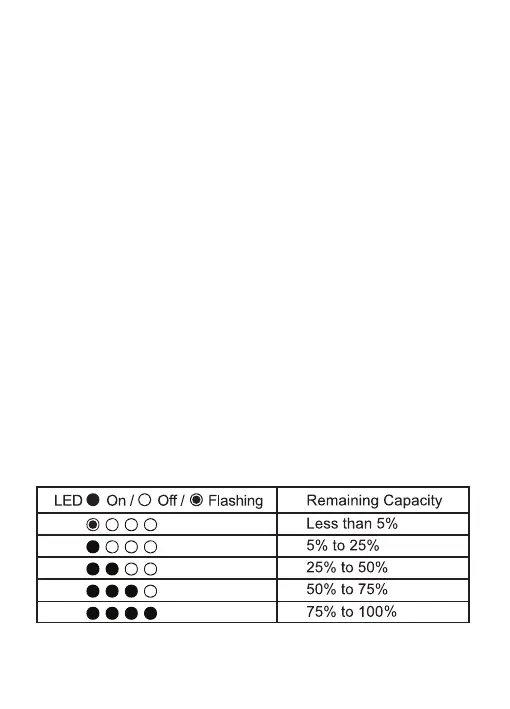
• Press On/Off button and LEDs will show remaining capacity
• The LEDs will turn off automatically after about 5 seconds
Checking Remaining Capacity
Charging a Phone or USB Device


 To Next Page