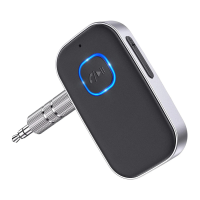
1. Pair with mobile phone/MP3/Tablet, etc. and turn your old car
stereo/home stereo/3.5mm wired headphones into wireless.
2. Automatically connects to the last connected device.
3. Keep connecting to 2 Bluetooth devices at the same time.
4. The built-in microphone can be used to answer hands-free calls.
5. The latest noise cancellation technology provides excellent call quality.
6. The built-in battery has a long battery life of up to 16 hours.
7. Compatible with iOS and Android devices.
8. Bluetooth V5.0 with low power consumption.
The product will automatically connect to the last connected device, when
next turned on. (Before turning on the Bluetooth receiver, turn on the
Bluetooth feature of your smart device.)
The product will automatically power off if it is not connected to any
Bluetooth device within 5 minutes.
Q1: The product can't connect to Bluetooth enabled phone, MP3, etc.
Pair with second smartphones, tablets, etc.
1 . After successfully pairing with the first smartphone, turn off the
Bluetooth function of the first smartphone, and the product will enter
the pairing mode again.
2. Turn on the Bluetooth function of the second smartphone, search
for "J22" and connect.
< Settings
Bluetooth
9:41 AM
Bluetooth
Now discoverable as "John Doe's iPhone".
MY DEVICES
J22
Apple Watch
OTHER DEVICES
Pro
ConnectedO
ConnectedO
3. Turn on the Bluetooth function of the first smartphone, select "J22"
in your pairing history.
4.Now two smartphones have connected to the receiver at the same
time.
Operations:
Function
Power On/Off
Play/Pause/Answer/Hang up
Reject a call
Redial the last number
Volume Up/Down
Next/Previous Song
Operation
Long press the "MFB" for 3 seconds
Press the "MFB"
once
Long press the "MFB" for 2 seconds
Press the "MFB"
twice
Long press the
button
Press the "+"/"-" button once
-04-


 To Next Page
 Loading...