DEEP LEARNING PLUS QUICK START GUIDE14
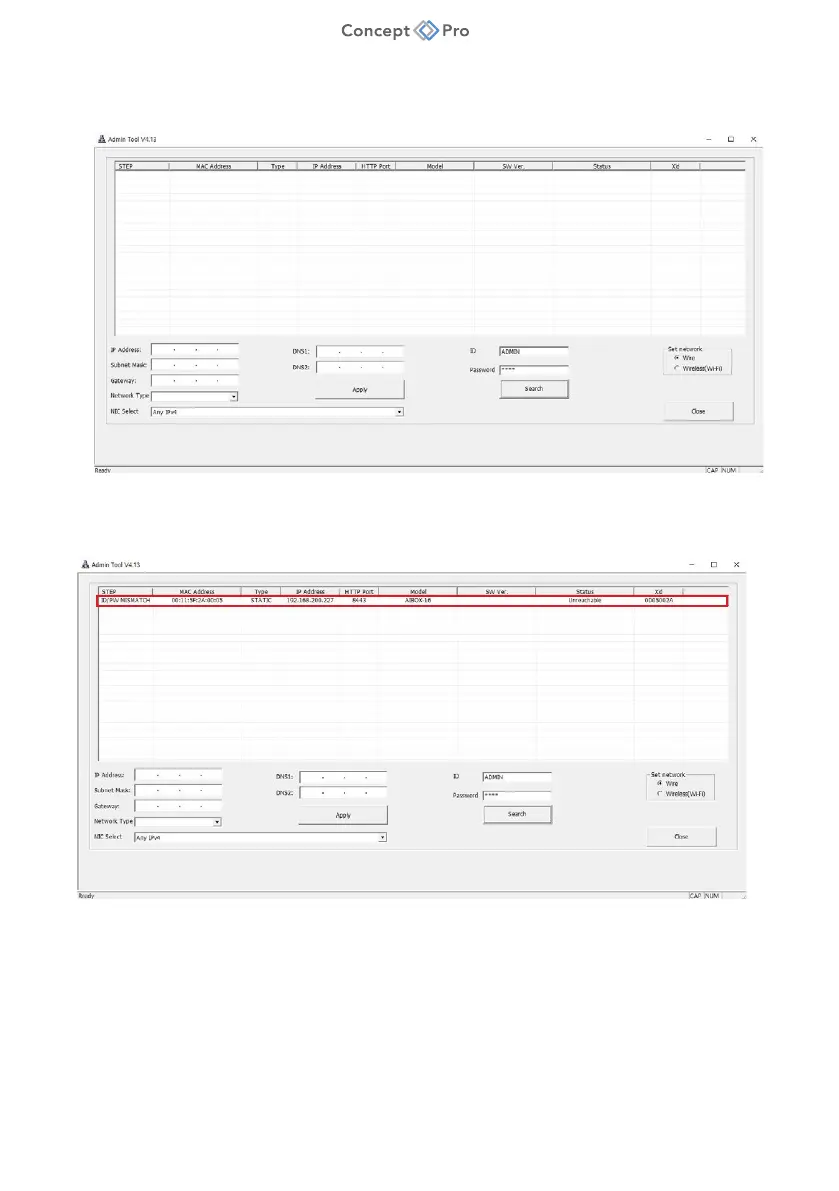
3. ‘Admin_Tool.exe’ can be used to discover and configure DL PLUS units (as well as some
other Concept Pro products) over the network.
a. Click the <SEARCH> button to search the network for any connected DL PLUS units.
b. Search results are displayed on the screen when the search function is completed. You
can determine the DL PLUS units from the listed model information and click on the
desired product to configure further.
4. Select one of ‘DHCP’ or STATIC’ for <Network Type> at the bottom left. Please input the IP
Address, Subnet Mask, Gateway, DNS information and click ‘APPLY’ button.



 To Next Page