DEEP LEARNING PLUS QUICK START GUIDE18
CREATING DEEP LEARNING ACTION RULES FOR VIDEO SOURCES
The DL PLUS product allows for advanced configuration of deep learning-based rules that can fit specific
and unique installation requirements. Action Rules can be configured by following the process below:
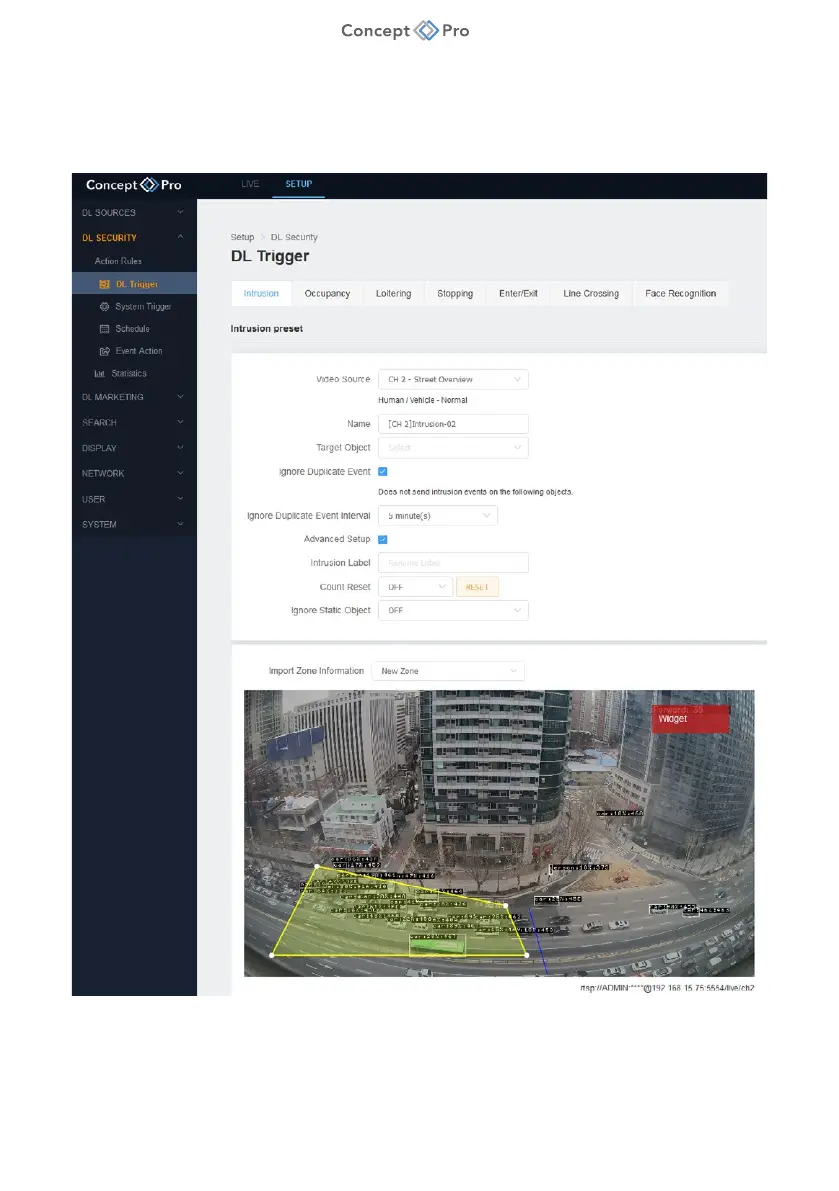
Create a Deep Learning Trigger
1. From DL PLUS web interface, select <SETUP> tab, then <DL SECURITY> - <DL
TRIGGER> menu.
2. Select a DL trigger detection rule to create from Intrusion, Occupancy, Loitering, Stopping,
Enter/Exit, and Line Crossing Detection, then click <ADD>.



 To Next Page