EasyManua.ls Logo

Conlux MCM5 - User Manual

Conlux MCM5
7 pages
Print Icon
To Next Page IconTo Next Page
Loading...
Types of cassettes and the coin conguration
DIS LED
C/C LED
DIAGNOSTIC LED’s
Error status will be reported to the main controller, and
LEDs will ash as below:
“DIS”: Error of discriminator (Upper part of body)
“C/C”: Error of coin changer (Lower part of body)
User
Interface
Buttons
TOKEN TEACH
The Conlux MCM5 will accept tokens when the Token
DIP Switch is placed in the ON position. The Token teach
mode is entered by pressing the Mode and B button
simultaneously for longer than 2 seconds. When this mode
is entered, the C/C LED will ash rapidly. The user should
then drop 10 tokens with at least 1 second intervals
between tokens.
The mode will automatically end after the 10
th
token
is dropped. If successful, the C/C LED will illuminate
continuously.
To obtain tokens contact Vendnet at 800-833-4411.
www.vendnet.com
How to Manually set User Float/Par
Programming
The user must empty the current cassette.
1. The DIP switch should be set to either Float High (ON)
or Float Low (OFF) depending on which value will be
re-programmed.
2. Press the Mode and C buttons simultaneously. If one of
the low level sensors is covered, the C/C LED will ash
slowly for 5 seconds and the changer reverts to its
normal operating mode. If all the low level sensors are
uncovered, the C/C LED will blink rapidly and the next
step can be performed.
3. The user will insert coins through the coin funnel
until the required oat level is reached. The following
conditions will apply:
Unrecognized coins will be rejected.
If the cassette contains coin tubes of equal value,
the coins will alternately be routed to each
tube in turn.
The mode will automatically exit if no coins are
dropped for a period of 2 minutes.
Coins will be reported on the MDB protocol as
Manual Fill.
The mode can be exited at any time without
saving any data by pressing the Mode button for 2
seconds or longer.
The cassette can be removed and replaced at
anytime without affecting the current tube counts.
When the cassette has been lled to the
appropriate level, the user should press the
Mode and C buttons simultaneously to save the
tube levels.
4. To return the oat levels to the default factory
programmed values, the Float / Par Programming
mode should be entered as described above by
pressing the Mode and C buttons simultaneously. When
the C/C LED is blinking rapidly, the user should press
the F↓ button and the F↑ button simultaneously.
MEI
1301 Wilson Drive
West Chester, PA 19380
Technical Support 1(800)345-8172
Customer Support 1(800)345-8215
http://www.meigroup.com
Type Feature Tube A Tube B Tube C Tube D Tube E
1 US-1 Denomination 25 ¢ 5 ¢ 25 ¢ 10 ¢ 25 ¢
Auto Storing No Yes Yes Yes No
Empty Quantity (Note 1) 6 8 8 10 5
Full Quantity (Note 2) 71 64 71 97 N/A
2 US-4 Denomination 1 $ 5 ¢ 25 ¢ 10 ¢ 25 ¢
Auto Storing Yes Yes Yes Yes No
Empty Quantity (Note 1) 5 8 8 10 5
Full Quantity (Note 2) 63 64 71 97 N/A
Check Light LED
Note 1: If lower sensor detects coins, then there
are coins to at least the empty quantity.
Note 2: If the coins reach the upper sensor, the
tube is considered to be full.
Factory FLOAT/PAR Settings
Float 1 $34 – Switch Position Low (OFF)
Cassette US-1
Tube A – 25¢ 40 coins = $10
Tube B - 5¢ 40 coins = $ 2
Tube C – 25¢ 40 coins = $10
Tube D – 10¢ 40 coins = $ 4
Tube E – 25¢ 32 coins = $ 8
Cassette US-4
Tube A - $1 10 coins = $10
Tube B – 5¢ 40 coins = $ 2
Tube C – 25¢ 40 coins = $10
Tube D – 10¢ 40 coins = $ 4
Tube E – 25¢ 32 coins = $ 8
Float 2 $52 – Switch Position High (ON)
Cassette US-1
Tube A – 25¢ 60 coins = $15
Tube B - 5¢ 60 coins = $ 3
Tube C – 25¢ 60 coins = $15
Tube D – 10¢ 60 coins = $ 6
Tube E – 25¢ 52 coins = $13
Cassette US-4
Tube A - $ 1 30 coins = $30
Tube B – 5¢ 40 coins = $ 2
Tube C – 25¢ 40 coins = $10
Tube D – 10¢ 40 coins = $ 4
Tube E – 25¢ 24 coins = $ 6
Discriminator
MCM5
Installation Guide
Coin Dispenser
Coin Cassette

Question and Answer IconNeed help?

Do you have a question about the Conlux MCM5 and is the answer not in the manual?

Summary

General Information

Interface

MEI Conlux MCM5 coin changer operates in machines that support the MDB interface.

Reading the Conlux Serial #

Explains how to interpret the Conlux serial number for year and month identification.

Installation Instructions

Tools and Preparation

Lists required tools and initial preparation steps before installing the coin mechanism.

DIP Switch Configuration

Instructions for checking and setting DIP switches for machine configuration.

Currency Switch Settings

Details on configuring currency acceptance (USA, Canada, Tokens) and float levels.

Mechanism Alignment

Procedures for aligning the coin mechanism with the vending machine's components.

Harness Connection

Guidance on connecting the coin mechanism harness to the vending machine.

Coin Cassette

Loading the Coin Cassette

Instructions on how to load coins into the cassette using two different methods.

Diagnostic LEDs

Token Teach Mode

Procedure for teaching the coin mechanism to recognize new tokens using specific button presses.

Cassette Configuration and Settings

Factory Float;PAR Settings

Default settings for coin float levels (low and high) for different cassette types.

Manual User Float;Par Programming

Step-by-step guide for manually programming coin float levels in the coin mechanism.

Overview

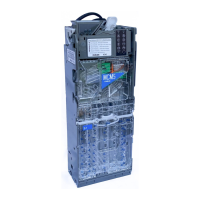
The CONLUX MCM5 is a coin mechanism designed for integration into vending machines, facilitating coin acceptance, validation, and dispensing. It operates as a coin changer, supporting the MDB (Multi Drop Bus) interface, which is a common communication protocol in vending systems.

Function Description:

The primary function of the CONLUX MCM5 is to manage coin transactions within a vending machine. This includes:

  • Coin Acceptance and Validation: Coins are inserted into the coin funnel, pass through a discriminator unit that validates their authenticity and denomination, and are then routed to the appropriate tubes within the coin cassette.
  • Coin Dispensing: The mechanism can dispense change from its coin cassette, ensuring correct amounts are returned to the customer.
  • Coin Storage: A 5-tube coin cassette stores various denominations, allowing for efficient change-making.
  • Interface with Vending Machine: It connects to the vending machine's control board and, if present, to a bill validator, to manage overall payment processing.
  • Diagnostic Feedback: Diagnostic LEDs provide visual cues for operational status and error conditions, aiding in troubleshooting.
  • User Interface: Buttons on the discriminator unit allow for specific functions, such as dispensing coins or entering token teach mode.

Important Technical Specifications:

  • Weight: 3.5 lbs.
  • Rated Operating Voltage: 34V d.c. 12W, with a peak current of 0.92A at DC34V.
  • Compliance: UL standard, FCC standard.
  • Interface: MDB (Multi Drop Bus).
  • Coin Cassette Configurations: Two main configurations (US-1 and US-4) are available, both compatible with USA and Canada coins.
    • US-1 Cassette:
      • Denominations: 25¢, 5¢, 25¢, 10¢, 25¢ (Tubes A, B, C, D, E respectively).
      • Auto Storing: No for Tube A, Yes for Tubes B, C, D, No for Tube E.
      • Empty Quantity (Note 1): 6, 8, 8, 10, 5 coins.
      • Full Quantity (Note 2): 71, 64, 71, 97, N/A coins.
    • US-4 Cassette:
      • Denominations: 1$, 5¢, 25¢, 10¢, 25¢ (Tubes A, B, C, D, E respectively).
      • Auto Storing: Yes for Tubes A, B, C, D, No for Tube E.
      • Empty Quantity (Note 1): 5, 8, 8, 10, 5 coins.
      • Full Quantity (Note 2): 63, 64, 71, 97, N/A coins.
  • Float Settings:
    • Float 1 (Low): $34.00
      • US-1: Tube A (25¢) 40 coins = $10, Tube B (5¢) 40 coins = $2, Tube C (25¢) 40 coins = $10, Tube D (10¢) 40 coins = $4, Tube E (25¢) 32 coins = $8.
      • US-4: Tube A ($1) 10 coins = $10, Tube B (5¢) 40 coins = $2, Tube C (25¢) 40 coins = $10, Tube D (10¢) 40 coins = $4, Tube E (25¢) 32 coins = $8.
    • Float 2 (High): $52.00
      • US-1: Tube A (25¢) 60 coins = $15, Tube B (5¢) 60 coins = $3, Tube C (25¢) 60 coins = $15, Tube D (10¢) 60 coins = $6, Tube E (25¢) 52 coins = $13.
      • US-4: Tube A ($1) 30 coins = $30, Tube B (5¢) 40 coins = $2, Tube C (25¢) 40 coins = $10, Tube D (10¢) 40 coins = $4, Tube E (25¢) 24 coins = $6.

Usage Features:

  • Installation: The unit mounts on existing three mounting studs/screws in the vending machine's standard coin changer channel. Installation involves tilting the discriminator assembly forward to access mounting holes, securing the unit, and then closing the assembly.
  • DIP Switches: A set of four DIP switches allows for configuration of currency acceptance and float levels:
    • #1 USA On/Off: Accepts United States Coins.
    • #2 Canada On/Off: Accepts Canadian Coins.
    • #3 Token On/Off: Accepts Tokens.
    • #4 Float High/Low: Sets float to either High ($52.00) or Low ($34.00).
  • Coin Cassette Loading:
    • By Removing Cassette: The cassette can be removed by depressing a white latch, tilting it forward, and lifting it upwards. To load, place it front down, pinch two tabs to open the back, and fill tubes. It's recommended to fill each tube with at least 15 coins, up to two rolls, ensuring coins are in proper tubes and not above the MAX FILL line.
    • From the Front: Press down on the white Cassette Latch, tilt the top of the cassette out, lift it from the changer, stand it on a firm surface, and manually load coins into tubes A, B, C, D, and E.
  • Token Teach Mode: When the Token DIP switch is ON, users can teach the mechanism to accept specific tokens. This is initiated by pressing the Mode and B buttons simultaneously for over 2 seconds. The C/C LED will flash rapidly, indicating the mode is active. The user then drops 10 tokens with at least 1-second intervals. The mode ends automatically after the 10th token, and a continuously illuminated C/C LED indicates success.
  • Manual Float/PAR Programming: This feature allows users to set custom float levels. The current cassette must be empty. After setting the Float DIP switch (High or Low), press Mode and C buttons simultaneously. If all low-level sensors are uncovered, the C/C LED blinks rapidly. Users then insert coins until the desired float level is reached. The mode automatically exits after 2 minutes of inactivity or can be exited by pressing the Mode button for 2 seconds or longer without saving. To save the new levels, press Mode and C buttons simultaneously. To revert to factory defaults, enter the mode and press F↓ and F↑ buttons simultaneously when the C/C LED is blinking rapidly.

Maintenance Features:

  • Physical Inspection: Before installation, inspect the unit for any physical damage.
  • Alignment: After installation, ensure a small gap (2 mm) between the vending machine's return lever and the coin mechanism's Acceptor Gate lever. Verify that pressing the return lever fully depresses the acceptor gate lever and allows it to return smoothly. Check the alignment of the coin input chute, cashbox chute, and return cup by inserting test coins to ensure proper routing and exit. Adjust machine components as necessary.
  • Diagnostic LEDs: The "DIS" LED indicates a discriminator error (upper part of body), and the "C/C" LED indicates a coin changer error (lower part of body).
    • Solid green DIS/C/C: Ready.
    • Red DIS, green C/C: Check Discriminator for ERROR.
    • Green DIS, red C/C: Check Coin Changer for ERROR.
    • Red DIS, red C/C: Check and CLEAN the Discriminator.
    • A flashing C/C LED during token teach mode indicates the mode is active.
  • Clearing Check Light: Pressing the unmarked button clears the Check Light indicator.
  • Cleaning: The diagnostic LEDs may indicate a need to clean the discriminator.

Conlux MCM5 Specifications

General IconGeneral
BrandConlux
ModelMCM5
CategoryTouch terminals
LanguageEnglish