
 Need help?
Do you have a question about the Connectland CL-ME-606 and is the answer not in the manual?
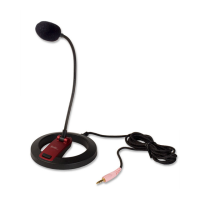
Describes the flexible desktop microphone as an addition to systems needing audio input, highlighting its base and flexible neck.
Lists the specifications and attributes of the microphone, including mute button, impedance, directivity, sensitivity, S/N ratio, frequency range, and cord length.
Details the items included in the product package, specifying one desktop microphone.
Specifies the necessary hardware for using the microphone, requiring a desktop or laptop with an available 3.5mm input port.
Provides step-by-step instructions for connecting the microphone to a system and setting it as the default device.
Outlines the process for recognizing and setting the microphone as the input device within Mac OS X system preferences.
Addresses common user issues, such as the microphone not registering sound or not being recognized by the system, and driver availability.
Details the version updates and changes made to the manual, including compiled information and added FAQ content, with the last update date.
 General
| Brand | Connectland |
|---|---|
| Model | CL-ME-606 |
| Category | Microphone |
| Language | English |

 To Next Page