49-3000336 Rev 0 5
USING THE WASHER
Getting started
Throughout this manual, features and appearance may vary from your model.
To reduce the risk of fire, electric shock, or injury to persons, read the IMPORTANT SAFETY
INSTRUCTIONS before operating this appliance.
WARNING
Colors
Normal Wash
Perm. Press
Warm Wash
Light
Light
Heavy
Heavy Cool
Tap Cold
Drain & Spin
Load Size
Start / Pause
Hold 3s to Cancel
Delicate
Cool Wash
Whites
Hot Wash
Medium Large
Small Auto
Select when adding Fabric Softener
Deep Rinse
Fill SpinRinseWashSoak
Pause
Lid Locked
D
B AC
F
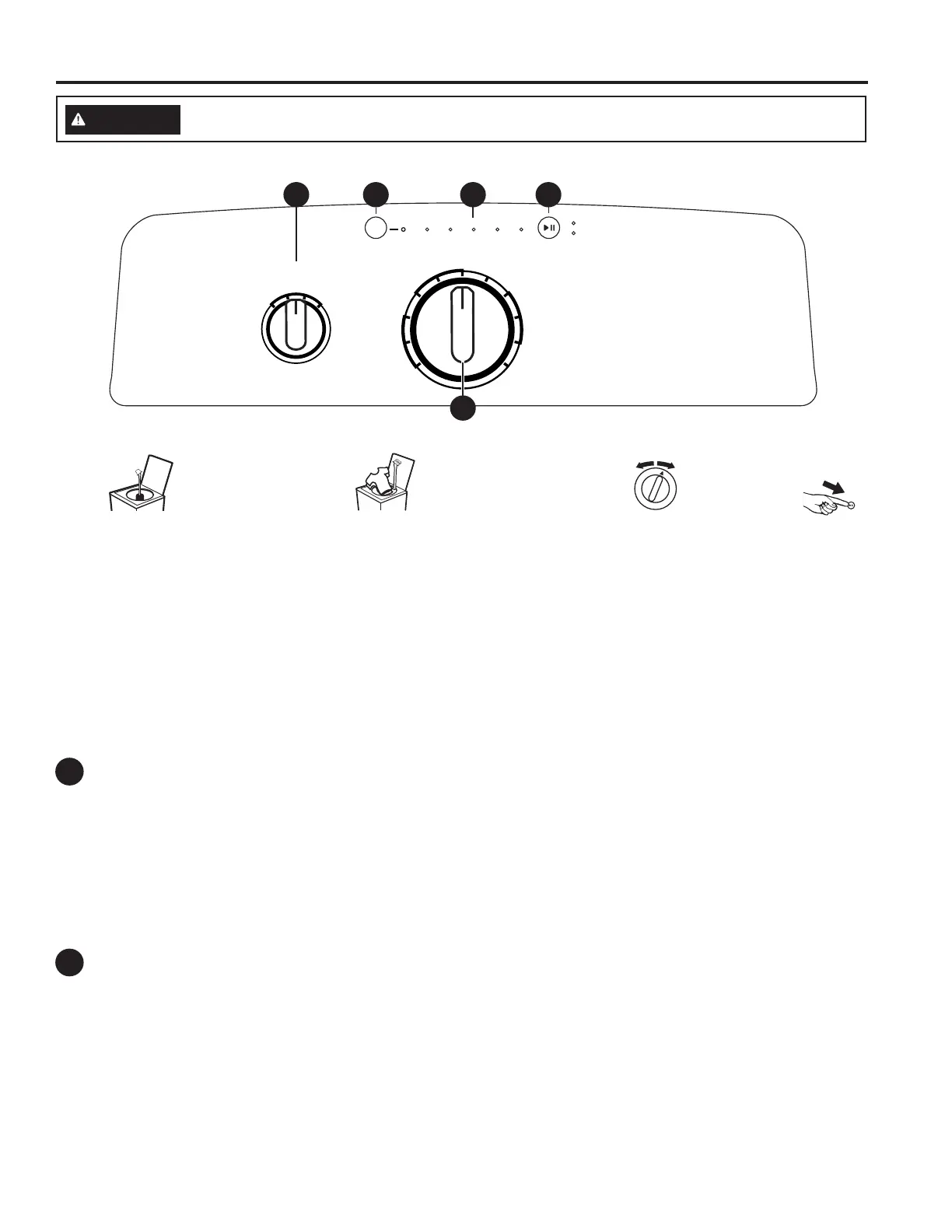
Start/Pause
Press Start to begin the cycle. NOTE: If the lid is closed, the lid will lock only during the load sensing portion of the cycle (when
the Auto selection is made or models which do not have a load size selection) and during spin portions of the cycle. Lid will unlock
after load sensing and spin.
NOTE: The lid must be closed for the washer to start cycle.
Pressing Pause will unlock the lid (if locked at that time), pause the cycle and the Start indicator light will blink.
To continue the cycle, press Start again. If water remains in the machine, select the Drain & Spin cycle to drain basket and
spin water out of the washer basket. NOTE: Machine will automatically cancel and drain when water is present and the lid is
left open for 15 minutes or the unit is left in a paused state for 24 hours with the lid closed. Select cycle and press Start to
begin new cycle.
Status Lights
Cycle status lights: Shows whether the washer is in the Fill, Soak, Wash, Rinse or Spin portion of the cycle.
If an out-of-balance condition is detected by the washer, the Spin light will blink during the remaining portion of the cycle
and will stay illuminated for a short time after cycle completion. When this occurs, the washer is taking actions to correct the
out-of-balance condition and complete the cycle normally. In some cases, the washer may not be able to balance the load
and spin up to full speed. If you notice the load is more wet than normal at the end of the cycle, redistribute the load evenly
in the wash basket and run a Drain & Spin cycle.
B
A
Feature status lights indicate (see section E):
Pause - Will turn on when washer is paused between cycles.
Lid Locked - The lid is locked.
• Loosely add items around
agitator or Infusor. Overloading
may negatively impact wash
performance. See page 11 for
suggested loading examples.
• Add the manufacturer’s
recommended amount of detergent
to the top of the load after adding
clothes. We recommend the use of
High Efficiency laundry packs.
Step 2
Step 3
Step 4
Step 1
• Close lid. • Press
Start.
•
Add fabric softener to the
fabric
softener dispenser
;
see page 10.
• If using detergent packets,
add to the bottom of the
wash basket before adding
clothes. We recommend
the use of High Efficiency
laundry packs.
NOTE: Unit will not start
with lid open if Auto is
selected except on Bulky
Items/Bulky cycle.
• Select wash cycle.
• Select wash options, including Deep Rinse
when using fabric softener.
• Select options.
• Select load size.



 To Next Page
 Loading...