English - 41 -
Options and functions of the TV menu
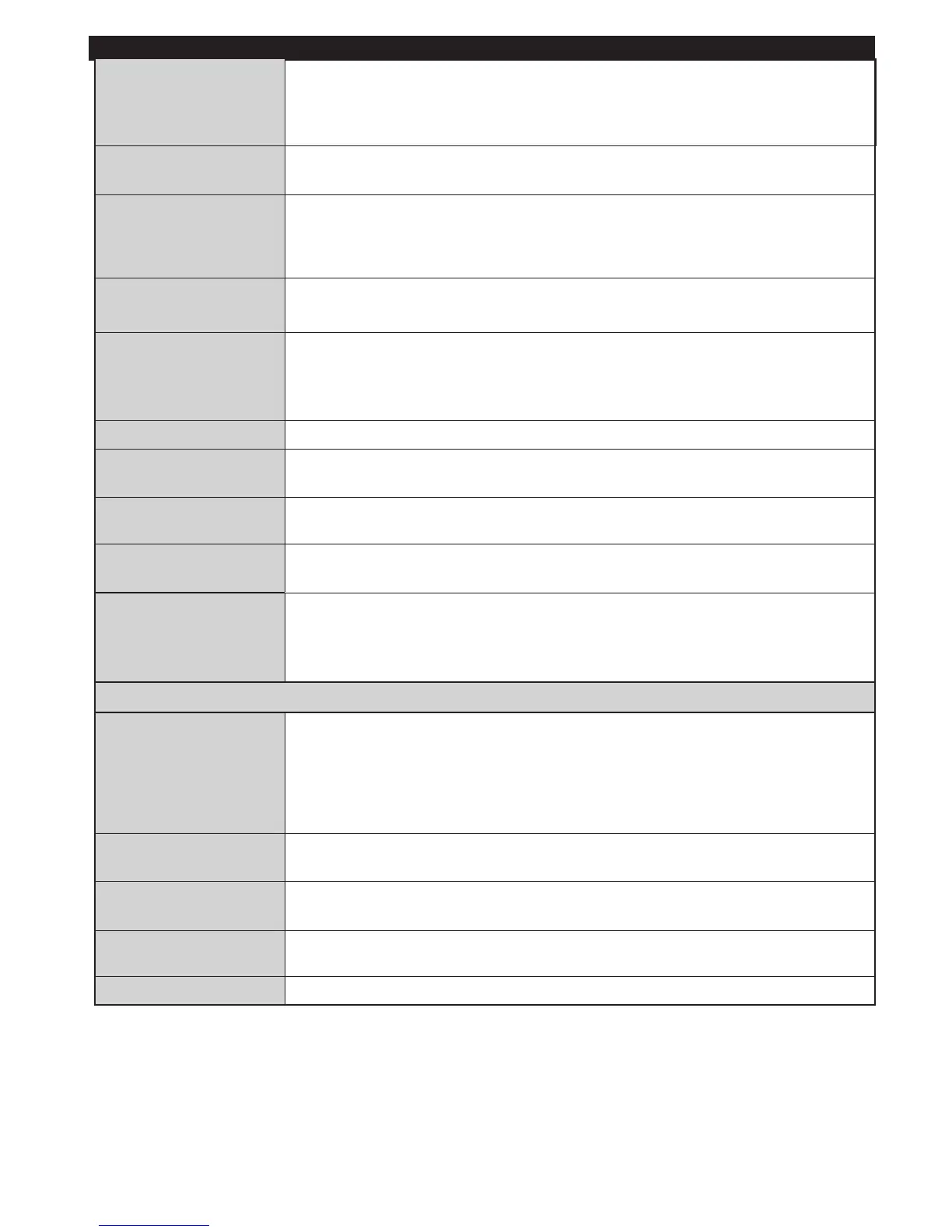
Audio description
Audio description refers to an extra narration path reserved for the visually and
hearing impaired. You can only use this option if the broadcaster takes it in charge.
Note: The audio sound description functionality cannot be available during recording or
when the time- lag mode is active.
TV Automatic
shutdown
When this function is enabled, it denes the time at which your television automatically
stops (between one and six hours).
Standby search mode
(optional)
If the Standby search mode is enabled, available channels will be searched when
the television is on standby. If the television nds missing or new channels, a menu
screen is displayed, asking if you wish to apply these changes or not. The channels
list is updated and edited after this process.
Storage Mode
(optional)
Enables or disables the Demo mode..
DLNA Renderer
DLNA renderer feature allows you to share les stored on your smartphone. If you
have a DLNA renderer compatible smartphone and software installed, you can
share/play photos with your TV. See instructions of your sharing software for more
information. DLNA renderer mode will not be available with internet portal feature.
Power Up Mode This setting confrigures the power up mode preference.
Virtual Remote
(optional)
Enables or disables the virtual remote feature.
Netix:
You can view your ESN(*) number and deactivate Netix.(*) ESN number is an unique
ID number for Netix, created especially to identify your TV.
CEC
With this setting you can enable and disable CEC functionality completely.
Press Left or Right button to enable or disable the feature.
Turn on mode
This parameter congures preferences of the power on mode.
Always enabled : the television comes on when the main power on/off button is pressed.
Standby: the television always comes on in standby mode. / Last view : the television
comes on on the last channel/source selected.
Automatic channel
search
If you wish to install or update new channels, you can use this menu. It displays
automatic setting options. Digital antenna : Searches and stores DVB channels.
Digital cable :Searches and stores DVB cable television channels Analogue :
Searches and stores analogue stations. Analogue and digital antenna : Search
and store DVB and analogue channels. Analogue and digital cable : Search and
store analogue and DVB stations..
Manual channel
search
Used to search or directly store a channel if the frequency is known.
Network channel


 To Next Page