Balance Keyboard - REV 2.0
/2
D
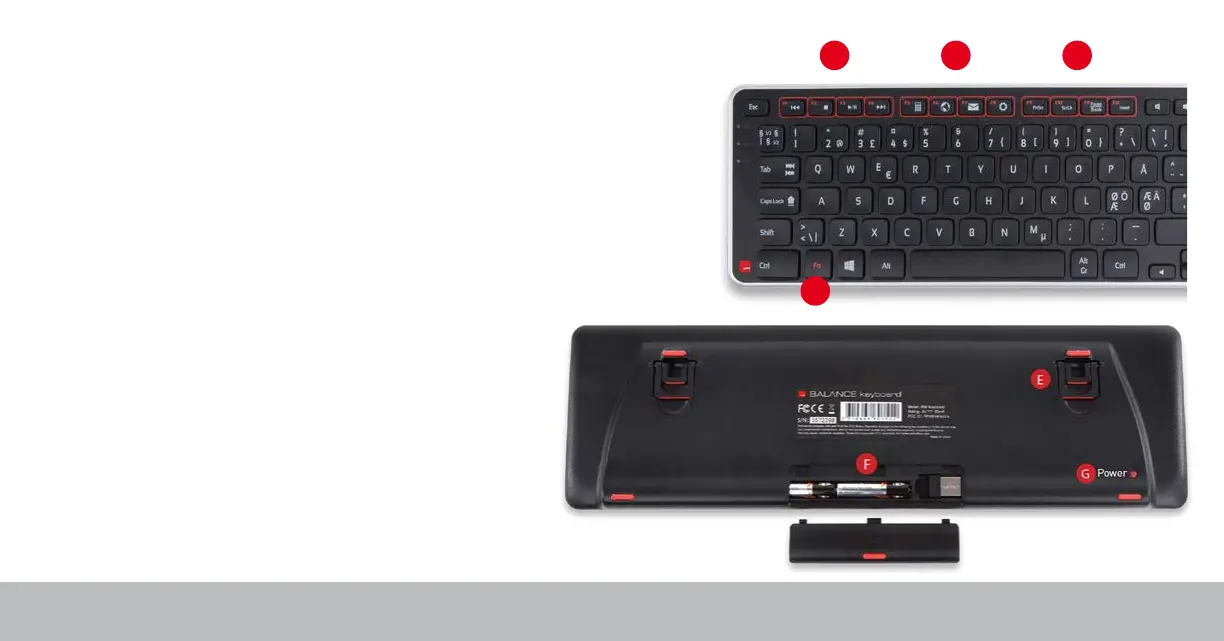
A B C
Function and Media Control Keys
A. Media Control Functions
B. Application Functions
C. Interface Functions
D. Fn Keys*
E. Risers
F. Battery compartment and dongle storage
G. Power Button**
* The Fn key toggles between function [1-12] and media
modes. By default the media keys are active.
** Removing the tab from the battery compartment
will power on the device for the first time. Turning off
the device is only necessary for long-term storage or
travel.


 To Next Page