Need help?
Do you have a question about the Cooler Master MM730 and is the answer not in the manual?
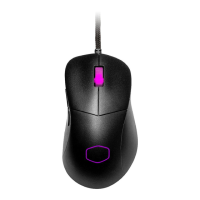
Details primary mouse button functions like Left, Right, Wheel, DPI, Forward, and Backward.
Explains how to use button combinations for LED lighting and profile switching.
Defines who is covered and what product aspects are protected by the warranty.
Lists conditions not covered and limitations on liability and implied warranties.
Details the steps and procedures for submitting a warranty claim.
States the specific warranty duration for the MM730 gaming mouse.
 General
| Polling Rate | 1000 Hz |
|---|---|
| Buttons | 6 |
| Connection Type | Wired |
| Cable Type | Ultraweave Cable |
| RGB Lighting | Yes |
| Material | Plastic |
| IPS | 400 |
| Acceleration | 50g |
| Mouse Feet Type | PTFE |
| Cable Length | 1.8m |
| Shape | Ambidextrous |
| Sensor | PixArt PMW3389 |
| Grip Type | Claw, Palm, Fingertip |
| Software | Cooler Master MasterPlus+ |

 To Next Page