CORDYS
ENG
16
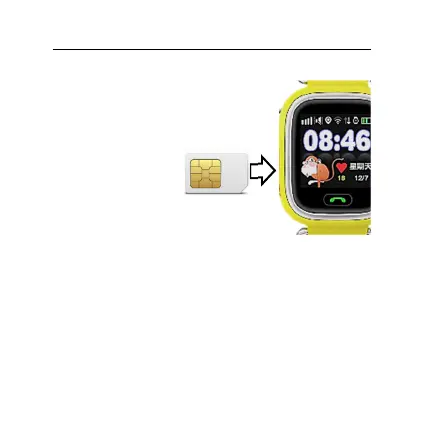
INSERT SIM CARD
1. Open side
protection cap
(3).
2. Insert Micro SIM
card-fully into
the slot.
Pay attention to the orientation of
the card. Metal contacts are
always oriented face up (to the
KidsWatch Screen)
IMPORTANT:
a. Do not insert the card into the slot with force. The
card must be inserted slightly. If this is not the case,
re-check the SIM card
orientation
b. Befor
e inserting or removing a Card, Turn Off
KidsWatch. Never insert or remove a Card while the
unit is switched on, as this may damage your card
or unit.
Micro SIM


 To Next Page