
 Need help?
Do you have a question about the Core Innovations ANT800BAR and is the answer not in the manual?
Connect the antenna's coaxial output cable to your TV or converter box.
Understand the LED lights for signal strength.
Learn how to perform a TV channel scan.
Place your antenna on a console, table, or flat surface.
Use included hardware to mount antenna on the wall.
Addresses missing channels and weak picture quality due to interference.
Guidance on scanning and positioning for optimal signal.
Details HDTV compatibility and factors affecting channel reception.
Explains indicator lights and requirements for HD broadcasts.
Warranty covers defects for 90 days (Parts & Labor) and 1 year (Limited Parts).
Details on repair/replacement within 90 days of purchase.
Details on one-year limited parts warranty and customer responsibility.
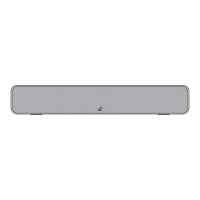
The Core Innovations ANT800BAR is an 80-mile range amplified indoor TV antenna designed to enhance television reception. This user manual provides comprehensive instructions for setting up, optimizing, and maintaining the antenna, ensuring users can access a wide array of digital channels with clear picture quality. The device is designed for ease of use, featuring a built-in signal level indicator and flexible placement options to suit various home environments.
The primary function of the ANT800BAR is to receive over-the-air (OTA) broadcast television signals. It is an amplified antenna, meaning it includes a built-in amplifier to boost weak signals, thereby extending its reception range up to 80 miles. This amplification is crucial for users located further away from broadcast towers or in areas with signal obstructions. The antenna is designed to be 1080P Full HD and 4K Ultra HD Ready, ensuring compatibility with modern high-definition televisions and providing the best possible picture quality for available broadcasts. Its omni-directional design allows it to receive signals from all directions without needing constant reorientation, simplifying the setup process. Additionally, the antenna incorporates a 3G/4G/5G LTE filter, which helps to block interference from cellular signals that can degrade TV reception, ensuring a cleaner and more stable signal.
The ANT800BAR is equipped with a signal level indicator, a key feature that assists users in finding the optimal placement for the antenna. This indicator, consisting of LED lights, provides visual feedback on the strength of the received signal. When the LEDs indicate "GOOD" or "BETTER" signal strength, it suggests an ideal location for channel reception. This eliminates much of the guesswork typically associated with antenna placement, making it easier for users to achieve the best possible performance.
Setting up the ANT800BAR is a straightforward process, detailed in the user manual. The first step involves connecting the antenna to the TV. The antenna comes with an attached coaxial cable (9.8 feet long) and a power supply. Users simply plug the barrel end of the power supply into the DC input on the antenna and the AC end into an electrical outlet.
For TVs with a built-in digital tuner, the antenna's coaxial output cable connects directly to the TV's antenna input port. This is the most common setup for modern televisions manufactured after March 1, 2007, as they are typically required to have an ATSC tuner. If a TV does not have a digital tuner (common for older, analog TVs), the antenna's coaxial output cable should be connected to a digital converter box (sold separately). The converter box then connects to the TV via its output cable.
Once connected, the next crucial step is to check the LED signal indicator. This feature is invaluable for optimizing reception. Users are encouraged to move and rotate the antenna while observing the LED lights to identify locations that provide the strongest signal. The LED lights will indicate signal strength levels such as "GOOD," "BETTER," or "BEST," guiding the user to the most effective placement.
After finding an optimal location, users need to perform a channel scan on their TV. This involves setting the TV's tuner mode to "Antenna" or "Air" and then initiating a channel scan, which may be labeled as auto-program, auto-scan, channel search, or channel scan in the TV's setup menu. It's important to note that running a channel scan is distinct from simply pressing Channel UP/DOWN on the remote. The manual emphasizes that a channel scan must be re-run anytime the antenna is moved or repositioned to ensure all available channels are detected.
The ANT800BAR offers flexible placement options: tabletop and wall-mounted. For tabletop placement, the antenna can be placed on a console, table, or any other flat surface near the TV. For wall mounting, the included screws (2/16" x 1") and plastic anchors are used to secure the antenna to the wall. This versatility allows users to integrate the antenna seamlessly into their home décor while optimizing for signal reception.
To further assist users in understanding channel availability and broadcast tower locations, the manual recommends visiting websites like www.antennapoint.com, www.antennaweb.org, dtv.gov/maps, or www.tvfool.com. By entering their zip code, users can identify the channels they can expect to receive and the direction of broadcast towers, which can help in positioning the antenna for better reception. The general advice is to set up the antenna as high as possible and in the direction of the TV tower, ensuring it is within the 80-mile range.
The ANT800BAR is designed for indoor use, which generally minimizes the need for extensive maintenance compared to outdoor antennas. However, the manual provides several troubleshooting tips to address common issues and ensure optimal performance.
If users are not receiving any channels or are missing channels, the first recommendation is to keep the antenna away from sources of interference. Common household items like air conditioners, hair dryers, and microwave ovens can emit electromagnetic interference that degrades signal quality. Moving the antenna away from these devices can significantly improve reception.
Another key maintenance action is to move or rotate the antenna and re-run a channel scan. Signal reception can be highly localized, and even a slight adjustment in position or angle can make a difference. The LED signal indicator is particularly useful here, guiding users to better reception spots.
For issues like picture or sound freezing, which often indicate a weak or intermittent signal, the advice is similar: try moving or rotating the antenna to a different location or angle. The fewer obstructions (such as trees, buildings, hills, and mountains) between the antenna and the broadcast tower, and the higher the antenna is mounted, the better the chance of receiving a strong signal.
The manual clarifies when a channel scan is necessary: after initial setup, or anytime the antenna's position or orientation is adjusted. This ensures the TV's tuner is updated with the most current list of available channels from the antenna's new reception point.
To confirm the antenna is working properly, users should ensure it is connected to the power supply and that the indicator light is on. If the indicator light is off, troubleshooting involves checking for loose connectors, ensuring the plug is fully inserted, or verifying it is placed correctly.
The antenna is compatible with any HDTV or device that has an ATSC tuner. Most TVs manufactured after March 1, 2007, include this tuner. If a TV menu has an option to scan for digital channels, it likely has an ATSC tuner. It's also noted that not all digital signals are in High Definition, and an HD receiver is required to view HD channels.
For customer support, Core Innovations provides an email address (support@dpaudiovideo.zendesk.com) and a toll-free phone number (1-833-909-CORE). Users are encouraged to email their inquiries first to receive a ticket number, which helps streamline the support process. When contacting support, it's important to provide the model number and a clear description of the inquiry.
The ANT800BAR is designed to be a reliable and user-friendly solution for accessing free over-the-air television broadcasts, with features that simplify setup and optimize reception for a clear viewing experience.
 General
| Type | Indoor |
|---|---|
| Reception Range | Up to 80 miles |
| Amplifier Included | Yes |
| Color | Black |
| Frequency Range | UHF: 470-862MHz |
| Connector Type | F-type |
| Mounting Options | Tabletop |
| Coaxial Cable Length | 10 ft |
| Compatibility | HDTV, 4K |

 To Next Page