EasyManua.ls Logo

Core ANT100TCR - User Manual

Core ANT100TCR
15 pages
Print Icon
To Next Page IconTo Next Page
Loading...
100-Mile Range Outdoor/Attic Amplied TV Antenna
ANT100TCR
User Manual
Question and Answer IconNeed help?

Do you have a question about the Core ANT100TCR and is the answer not in the manual?

Overview

This document describes the Core Innovations ANT100TCR 100-Mile Range Outdoor/Attic Amplified TV Antenna, a device designed to receive broadcast television signals.

Function Description:

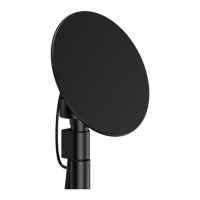
The ANT100TCR is an amplified TV antenna capable of receiving signals from up to 100 miles away. It is designed for both outdoor and attic installation. A key feature is its 360° motorized rotation, which allows users to adjust the antenna's direction remotely to optimize signal reception for different broadcast towers. The antenna is equipped with a built-in noise circuit and a high-gain booster to enhance signal quality. It can support two TVs simultaneously by connecting an additional coaxial cable from the power supply box to a second TV.

Important Technical Specifications:

  • Range: 100 miles
  • Installation: Outdoor/Attic
  • Rotation: 360° motorized
  • Coaxial Cable: Includes a 25' coaxial cable
  • Noise Circuit: Built-in
  • Booster: Built-in high-gain booster
  • UHF Frequency Range: 470-606MHz
  • Gain: 23±2dB
  • Impedance: 750Ω F-connector
  • Noise Figure: 2.5dB
  • Max Output Level: 105d BIV
  • Main Voltage: AC-120 / 60Hz
  • Operating Temperature: 14°F - 122°F
  • Weather Resistant: Yes
  • Pole Specifications:
    • Outer Diameter: 1"
    • Pole Length: 16.5”
    • Material: Iron
    • Mounting hardware included
  • Power Supply: Includes a power adapter. The power supply box has LED indicators for "Power on" (Red Light), "Antenna is rotating" (Green Light), and "Something is wrong with the power supply. Check cable connection" (Yellow Light).
  • Remote Control: Wireless, requires 2 AAA batteries (not included). Used to rotate the antenna.
  • Compatibility: Works with any HDTV or device that has an ATSC tuner. TVs manufactured after March 1, 2007, are required to have an ATSC tuner.

Usage Features:

  • Easy Installation and Setup: The manual provides step-by-step instructions for connecting the main antenna unit to the motor, attaching the assembly to the J-pole, and connecting the antenna to the power supply and TV.
  • Remote-Controlled Rotation: The included wireless remote control allows users to rotate the antenna 360° to find the best signal reception without physically adjusting the unit. Red directional buttons on the remote are used for rotation.
  • Channel Scanning: After installation or repositioning, users must perform a channel scan on their TV. The TV's tuner mode should be set to "Antenna" or "Air," and then the auto-program, auto-scan, channel search, or channel scan function should be initiated. Users are advised to rotate the antenna during the scan to identify locations with the most channels and best reception.
  • Signal Optimization: To achieve the best reception, the antenna should be placed as high as possible and angled towards the broadcast tower. Testing in multiple locations is recommended. Resources like www.antennapoint.com, www.antennaweb.org, dtv.gov/maps, or www.tvfool.com can help identify broadcast tower locations and signal strengths.
  • Digital Converter Box Support: For TVs without a digital tuner, the antenna's power supply box output cable should be connected to a digital converter box, which then connects to the TV.
  • Multi-TV Support: The antenna can feed signals to two televisions simultaneously.

Maintenance Features:

  • Safety Precautions: The manual emphasizes critical safety measures, including inspecting the installation site for power lines, maintaining a safe distance from power lines (at least twice the total height of the antenna and its mounting structure), grounding the antenna according to electrical codes, avoiding metal ladders, and not installing on windy days. In case of emergency involving power lines, call 911. Professional installation is recommended if unsure.
  • Troubleshooting: A dedicated section addresses common issues:
    • No channels or missing channels: Advised to keep the antenna away from interference sources (e.g., air conditioners, hair dryers, microwaves), rotate the antenna, and re-run a channel scan.
    • Picture or sound freezes/weak picture quality: Suggests moving or rotating the antenna to a different location or angle to improve intermittent signals.
    • When to run a channel scan: Required after setup or any adjustment/repositioning of the antenna.
    • Identifying strongest signal: Test the antenna in different locations and angles, running a channel scan each time. Fewer obstructions and higher mounting generally lead to stronger signals. Some HDTVs have a signal strength indicator.
    • Antenna indicator light off: Check for loose connectors, improperly inserted plugs, or incorrect placement.
    • Antenna mounting: Recommended for outdoor and attic use, ideally at least 30 feet above ground for more channels.
  • Warranty Information:
    • Limited Warranty: Covers defects in material or workmanship.
    • 90 Days Parts & Labor: Core Innovations will repair or replace defective products (at its discretion) within 90 days of purchase. Customers are responsible for transportation and insurance costs. Original packaging should be retained. A Return Authorization Number (RMA#) is required for service.
    • 1 Year Limited Parts: Allows return for repair or replacement within one year, with the customer responsible for labor charges.
    • Warranty Void Conditions: Includes damage from modification, improper use, end-user negligence, water damage, or tampering with the product's barcode.
    • Liability Limitation: Company is not liable for consequential, indirect, incidental, special, or punitive damages, and total liability will not exceed the retail purchase price.
  • Customer Support: Provided via email (support@dpaudiovideo.zendesk.com) or phone (1-833-909-CORE, Monday-Friday, 9 am-5 pm PST, except major holidays). Customers are encouraged to email inquiries before calling. Model number and inquiry description should be noted.

Core ANT100TCR Specifications

General IconGeneral
BrandCore
ModelANT100TCR
CategoryTV Antenna
LanguageEnglish