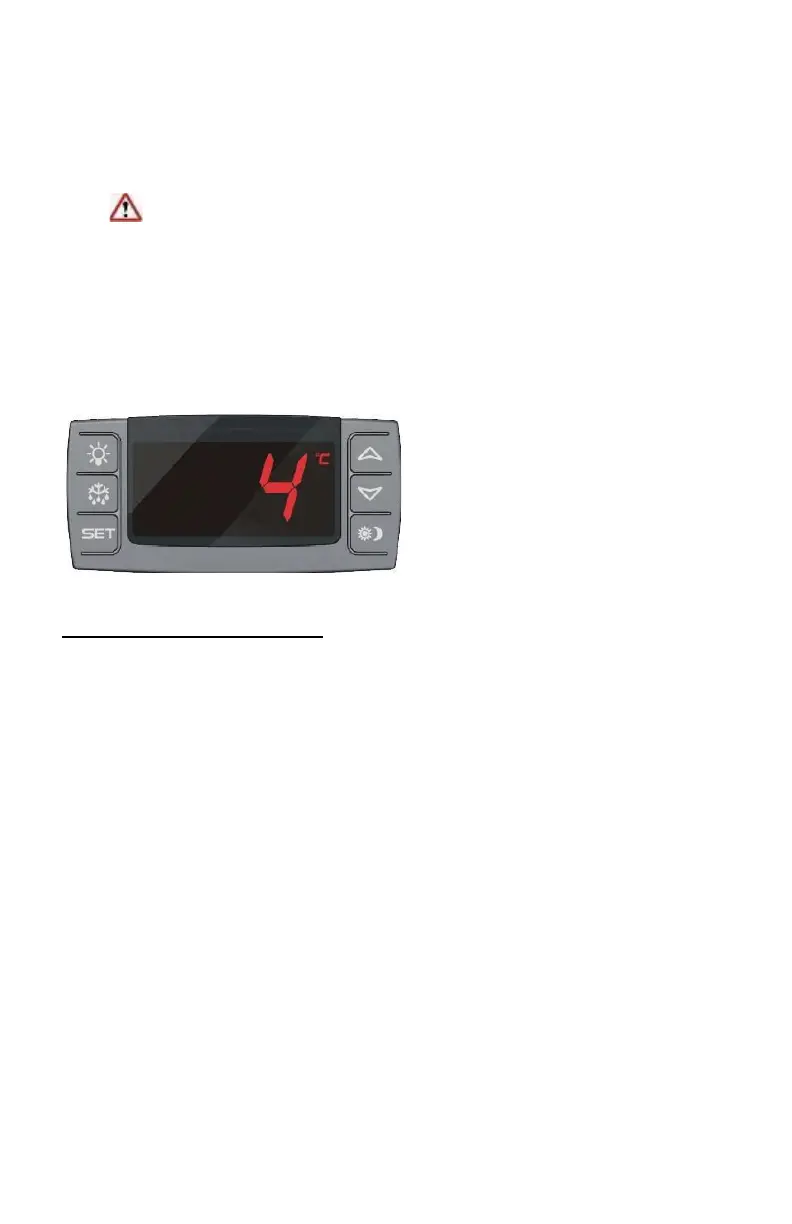
Product Description – Digital Controller
An alternate digital microprocessor temperature controller may be installed
in lieu of a mechanical controller. The controller provides a constant
readout of the sample temperature inside of the unit. A touch keypad
allows the user to easily select the display units, set point and differential
set point.
Please Note: The digital temperature controller has been factory
set and tested to allow your unit to operate at its desired
temperature cycle.
Adjusting the settings on the controller will alter these factory
settings. WE STRONGLY RECOMMEND YOU CONTACT THE
MANUFACTURER’S TECHNICAL SUPPORT DEPARTMENT BEFORE
MAKING ANY ADJUSTMENTS TO THIS CONTROLLER. TECH SUPPORT -
(800) 648 4041.
CHECK TEMPERATURE HISTORY
•
Press and release [UP] button. The display will show the maximum
temperature ever reached since the last reset.
•
Press and release [DOWN] button. The display will show the minimum
temperature ever reached since the last reset.
•
Press and hold [SET] for more than 3 seconds, while the maximum or
minimum temp is displayed. (rSt message will be displayed).



 To Next Page