EasyManua.ls Logo

CORSAR K65 LUX - User Manual

CORSAR K65 LUX
6 pages
Print Icon
To Next Page IconTo Next Page
Loading...
QUICK START GUIDE
GUIDE DE DÉMARRAGE RAPIDE
SCHNELLSTARTANLEITUNG
GUIDA INTRODUTTIVA
GUÍA RÁPIDA DEL USUARIO
КРАТКОЕ РУКОВОДСТВО
快速啟動指南
빠른 시작 안내서
corsair.com
CORSAIR COMPONENTS, INC. • 47100 BAYSIDE PARKWAY • FREMONT • CALIFORNIA • 94538 • USA
2
© 2015 Corsair Components, Inc.
All rights reserved.
Corsair and the sails logo are registered trademarks, and Corsair Gaming and the Corsair Gaming
logo are trademarks of Corsair in the United States and/or other countries. Cherry is a trademark of ZF
Friedrichshafen AG, used by permission. All other trademarks are the property of their respective owners.
Product may vary slightly from those pictured.
P/N: 49-001462 Rev AA
K65 LUX
RGB
EMAIL
support@corsair.com
WEB
corsairgaming.com
BLOG
corsair.com/blog
FORUM
forum.corsair.com
FACEBOOK
facebook.com/Corsair
TWITTER
twitter.com/Corsair
YOUTUBE
youtube.com/Corsair
Question and Answer IconNeed help?

Do you have a question about the CORSAR K65 LUX and is the answer not in the manual?

Summary

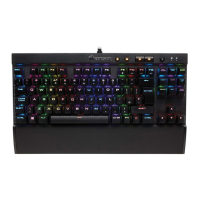
Getting to Know Your Keyboard

Backlight Brightness Key

Adjusts the keyboard's backlight brightness.

Mute Key

Silences the audio output.

Volume Control

Increases and decreases the system volume.

Windows Lock Key

Disables the Windows key to prevent accidental presses.

USB Pass-Through Port

Allows connection of other USB devices.

BIOS Mode Switch and Polling Rate Selector

Switches between BIOS mode and selects polling rate.

USB Connection Cable

Connects the keyboard to the computer.

Setting Up Your Keyboard

BIOS Mode and Polling Rate Configuration

Environmental Protection and Compliance

FCC Statement

Information regarding FCC compliance and potential interference.

CORSAR K65 LUX Specifications

General IconGeneral
BrandCorsair
ModelK65 LUX
Keyboard TypeMechanical
Switch TypeCherry MX Red
ConnectivityWired
Cable Length1.8 m
Form FactorTenkeyless
Key Rollover100% Anti-Ghosting
InterfaceUSB