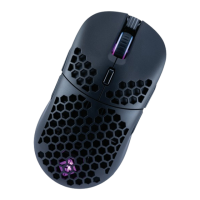
1. Unpack the mouse from the packaging and remove the plastic lm from
the mouse feet if any.
2. Connect the mouse to the PC using the USB cable.
3. The mouse will be detected by Windows within 5-30 seconds.
4. Download the software for the mouse from the Cosmic Byte website.
5. Install the software (Note: Some antivirus may try to stop installation as software
would not be updated in their database, so disable antivirus before installation)
6. Once installed restart your PC.
7. Your mouse is now ready for use. You can customize the functions of the mouse
using the software
STEPS TO CONNECT TO PC


 To Next Page