Need help?
Do you have a question about the Cosmo Connected Cosmo Bike and is the answer not in the manual?
Details on the middle button's functions for switching off and changing ignition modes.
Explanation of the four different light modes activated by the remote control.
Ensure compatibility with smartphones (iOS/Android) and Bluetooth connectivity for optimal use.
Instructions for turning the Cosmo Bike on/off via double-tap or remote control, and auto-off feature.
Steps for charging, activating, and preparing the Cosmo Bike for first-time use.
Guide to downloading, connecting, and configuring the Cosmo Bike via the mobile application.
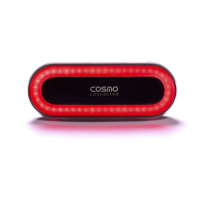
Details on light modes, fall detection, and warning capabilities of the Cosmo Bike.
Avoid battery replacement and handle with care; follow charging and safety guidelines.
Details on charging the device and attaching it to helmets or seats.
Guidelines for safe operation, temperature limits, cleaning, and handling.
Instructions for proper product disposal and regulatory compliance information.
Covers the terms and duration of the commercial and legal warranties provided.
Steps for informing COSMO CONNECTED and returning products for warranty service.
Details circumstances and product conditions not covered by the warranty.
Product is a supplementary detector; may not detect all braking situations.
Equipment tested for Class B digital device limits and operating conditions.
Caution against altering the equipment, which voids FCC authorization and warranty.
 General
| Connectivity | Bluetooth |
|---|---|
| Light Type | LED |
| Brightness | 100 lumens |
| Compatibility | iOS and Android |
| Type | Bike Light |
| Mounting | Seatpost |
| Features | Automatic Brake Light, Turn Signals |


 To Next Page