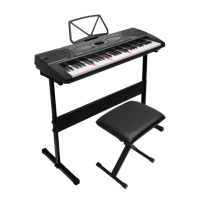
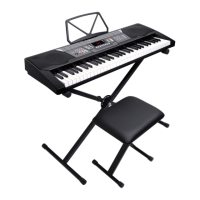
This document is a user's manual for the Costway Portable Electronic Piano, model MU70002DE. It provides detailed instructions and specifications for the device in multiple languages, including English, German, French, Spanish, Italian, and Polish.
Function Description
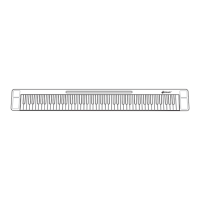
The Costway Portable Electronic Piano is an 88-key electronic piano designed for both beginners and experienced players. It features a comprehensive interface with various controls for sound, rhythm, and recording.
Interface Functions:
- L-OUT/R-OUT: Two independent 6.5mm professional equipment output interfaces for L/R stereo sound.
- MIC: Allows for playing and singing simultaneously with a fixed reverb function.
- MP3: Connects to MP3 players or other external audio sources for dual-channel surround sound.
- SUS (Sustain): Connects a sustain pedal to prolong the decay of notes.
- LED USB: Serves as a charging interface and MIDI connection function.
- Power Button: Turns the device on and off.
- Start/Stop: Controls playback and metronome.
- Chord: Activates chord accompaniment.
- Metronome: Produces a beat sound at the current speed.
- Record: Enters recording mode.
- Sustain: Activates the sustain effect.
- Vol+/-: Adjusts the volume.
- Rhy+/-: Selects different rhythms.
- Tone+/-: Selects different tones.
- Tempo+/-: Adjusts the tempo.
- Transpose+/-: Adjusts the key transposition.
- Demo: Plays 20 built-in demo songs.
- OKON: Enters teaching mode, where demo song accompaniment loops and waits for user input.
- Drum Kit: Accesses drum tones on corresponding keys.
Important Technical Specifications
- Battery: High-capacity lithium battery.
- Charging Time: Approximately 4 hours (over 5 hours for the first use).
- Charging Adapter: 5V 2A.
- Output Interfaces: 6.5mm L-OUT/R-OUT for stereo output.
- Speakers: Two built-in quality external speakers for an immersive sound experience.
- Sound Effects: Built-in Sustain and Vibrato effects.
- Digital Tube: Displays the currently used functionality.
- Tones: 128 different tones available.
- Rhythms: 128 different rhythms available.
- Demo Songs: 20 pre-loaded demo songs.
- Recording Capacity: Maximum of 700 notes.
- Volume Levels: Starts at level 14, maximum 17, minimum 0.
- Tempo Range: Default 120, adjustable from 30 to 300.
- Transpose Range: Default 0, adjustable from -6 to +6.
Usage Features
Charging:
The charging indicator is red when the piano is plugged in for charging. It turns green when fully charged and then turns off. If the power is high or full, the indicator light may flash or go out after USB charging. It is recommended to charge for over 5 hours for the first use.
Protection Function:
If the lithium battery voltage drops too low (below 3.5V), the product will automatically reset or fail to start. A charging reminder indicates that the piano will stop playing and restore initial settings if the battery is low during use.
Connectivity:
- External Speakers/Headphones: Connect active speakers, audio power amplifiers, or 3.5mm stereo headphones for dual-channel surround sound. It supports three-line earphones and external speakers but not four-line earphones with microphones.
- MIDI Function: Connects to a computer via a MICRO_USB data cable to use MIDI functions with compatible software (e.g., Everyone Piano).
- Controlling External Devices: The piano can send MIDI data to external devices via USB.
- Controlling Piano via External Devices: The piano can be used as an external sound source when connected via USB.
- Bluetooth APP Connection:
- iPhone (POPiano): Search and download the POPiano APP from the App Store. Turn on Bluetooth, select a song, and connect to the piano via "BlueTooth - Confirmed." A blue checkmark icon indicates a successful connection.
- iPhone (GarageBand): Open GarageBand, turn on Bluetooth, go to Settings > Song Settings > Advanced > Bluetooth MIDI Devices to connect.
- iPhone (Perfect Piano and PianoBar): Download both apps. Connect GarageBand first, then open Perfect Piano and PianoBar.
- Android (POPiano): Search and download the POPiano APP from the mobile phone's app store. Turn on Bluetooth (some phones may require location services). Select a song and connect to the piano via "BlueTooth - Confirmed." A blue checkmark icon indicates a successful connection.
Playing Features:
- Chord Function: When playing a rhythm, press the "Chord" button. Using multi-finger methods within keys A1-F4# will produce corresponding chord accompaniment. Single-finger chord fingering will play single-finger chords.
- Metronome: Press the "Metronome" button to activate a beat sound at the current speed. Press "Start/Stop" to turn it off.
- Recording Function: Press the "Record" button to enter recording mode. The metronome will sound, and pressing any key will start recording. The maximum recording capacity is 700 notes. If the recording is full, the metronome stops, and no more notes can be recorded. During recording, "Play" can be pressed to listen to recorded notes. Each time "Record" is pressed, the last memory is cleared, and recording mode is re-entered. Press "Play" once to play recorded notes, and a second time to stop. Press "Play" to exit recording mode. If no notes have been recorded, pressing "Play" will have no effect.
- Drum Kit: Press the "Drum Kit" button to access drum tones on the corresponding keys.
Maintenance Features
The manual emphasizes the importance of proper assembly and usage to ensure safety and longevity of the product.
- General Warnings:
- The product is not suitable for children under 3 years due to small parts and packaging materials that pose a choking hazard.
- Installation and use should be supervised by an adult.
- Follow all assembly steps carefully and in the correct order.
- Remove all packaging and count all parts and hardware before assembly.
- Ensure all parts are correctly installed, as incorrect installation can lead to danger.
- Assemble the product near its intended use area to avoid unnecessary movement.
- Ensure a secure, flat, steady, and stable surface for construction and placement.
The manual does not specify any particular maintenance procedures beyond these general warnings and proper handling. For missing or damaged parts, users are instructed to contact Costway's customer service department for replacements.

 Need help?
 General

 To Next Page