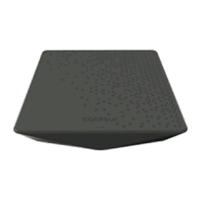
A
B
C
Set up your Voice remote
to TVIN
3
2
To
Cable Box
HD
2
To TV
HDMI
2
Activate your wireless Contour Box
Quick start instructions
Plug in your wireless Contour Box
Turn on your TV.
Using the source or input button on your TV remote, select the HDMI connection
that matches the HDMI port you plugged the HDMI cable into earlier.
You'll be prompted to follow on–screen instructions. Then hang tight for a few
minutes for the activation to fi nish.
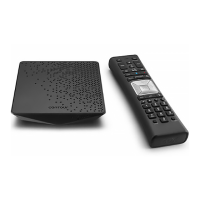
Now that your Contour box is activated, simply
follow the on-screen instructions to set up your
Voice remote.
When you see "All Set", press OK on your Voice remote.
For quick 'how to' videos, go to
Cox.com/support. Check out the enclosed
support and FAQs card for more information.
Your Gateway must be installed and the internet working prior to starting this installation.
Before you get started, we recommend you use the new cables included in your kit.
Then, plug the blue end of the HDMI cable into the HDMI port on the back of your
Contour box and plug the other black end into the desired HDMI port on your TV.
Make note of which TV HDMI port you plug it into.
Lastly, connect the power cord into the power port on the back of your Contour box
and plug the other end into an electrical outlet. This will power on your Contour box.
Make sure the electrical outlet isn't connected to a dimmer.
Keep it up, you've got this.
2
3
We're
here to
help.
CONTOUR
/Menu
OK
A/Help
Setup
FPO – Code 128 – 520-1633
520-1529


 To Next Page