ENGLISH
Congratulations on purchasing the Gemini Mini™. The Gemini Mini™ cuts
materials such as thick paper, card, vinyl, fabric and foil. Perfect for all kinds
of decorative and craft applications – Scrapbooking, Card Making, Paper or
Fabric Embellishments, Table Décor & much more.
IN THE BOX
• Gemini Mini™ Machine, Plastic Folder, Purple Plastic Shim
USING THE PLASTIC FOLDER
To feed a die through the Gemini Mini™ you must first put it in the Plastic
Folder, and then insert into the opening, as below:
• Plastic Folder Contents:
• Metal Cutting Die (blade side down)
• Material to be Cut
OPERATING YOUR GEMINI MINI™
• Place the Gemini Mini™ on a dry, level surface.
• Insert the Plastic Folder, with the metal die and contents to be cut,
into the machine.
• Turn the handle until the Plastic Folder comes out the back.
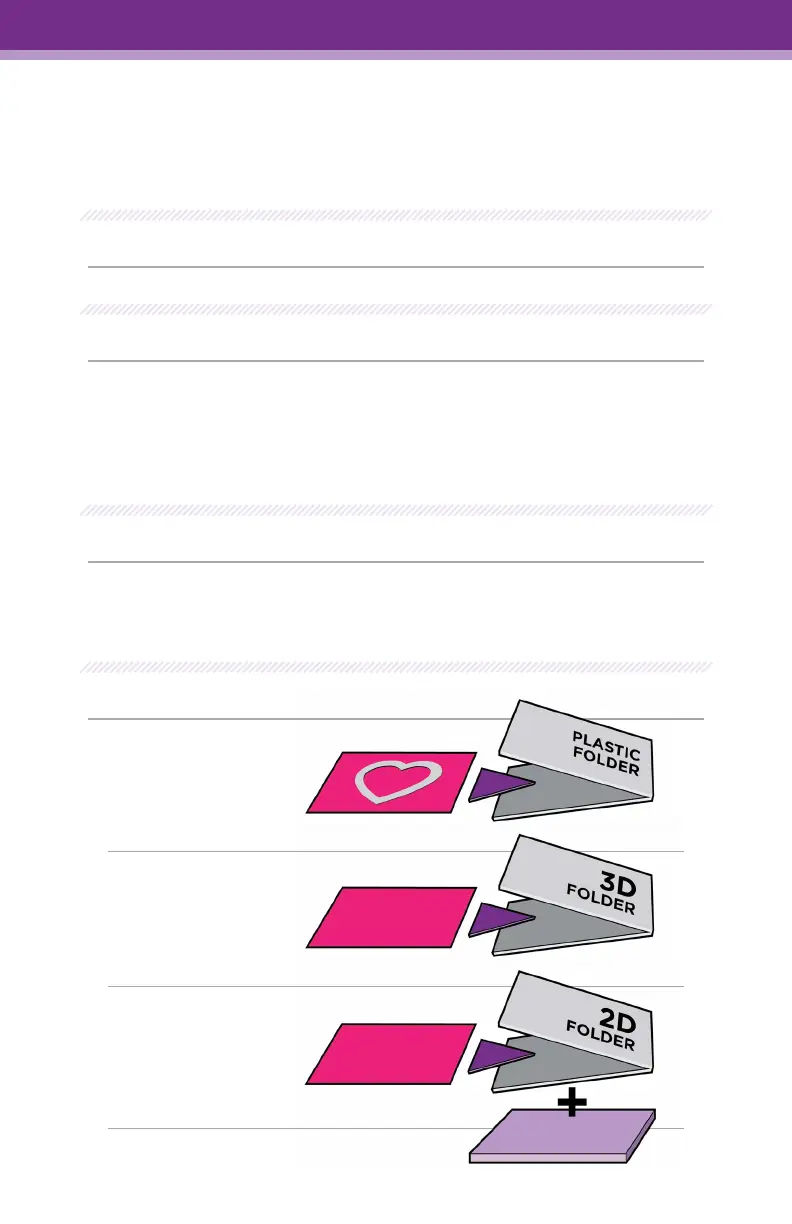
SANDWICHES:
USER GUIDE
Cutting Dies:
Card + Die inside
of Plastic Folder
3D Folder:
Card + 3D Folder
(No Shims or
Plastic Folder)
2D Folder:
Card inside folder
+ Purple Shim
Pg.1


 To Next Page