Notes:
Your battery will last longer if you following these simple guidelines for charging
for and storing it.
A. For charging first time, charge it at least 10 hours.
B. Recharge and store the battery within the temperature range of 5°C~35°C
(40°F~95°F).
C. Do not over charge (longer than 24 hours). Excessive charging or discharging
may shorten the battery's life.
D. Battery life naturally shortens slowly over time.
E. The rechargeable battery incorporated in this product is not user replaceable.
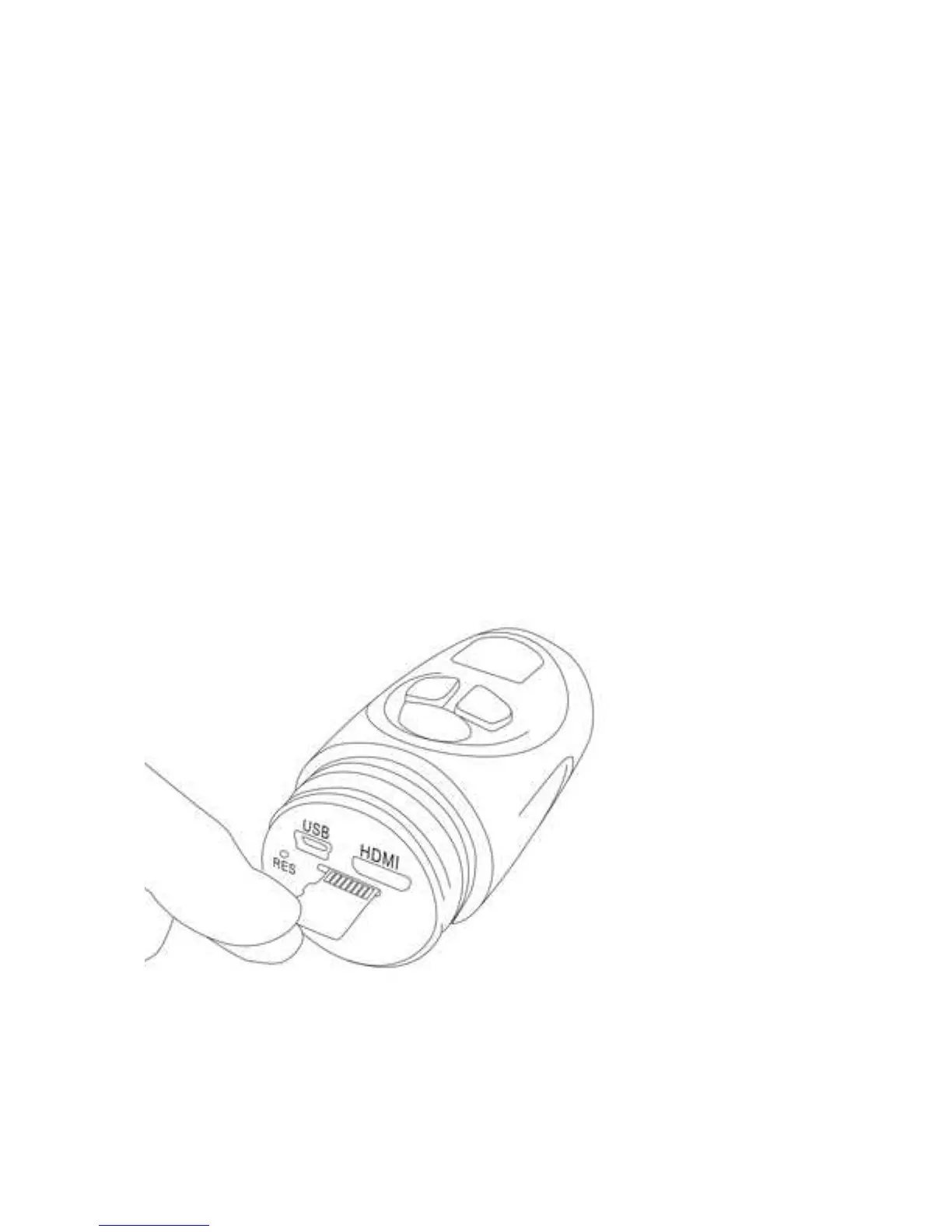
2. Insert Micro SD card (Not included) into the SD Card slot:
Turn the cover counterclockwise then take it off.
Insert a Micro SD Memory card (up to 32G; Class 4, not included) into
the Micro SD Card Slot as the figure below before start use:
To take out the card, press the card until “Click” sound is heard then
slide it out.
Notes:


 To Next Page