Need help?
Do you have a question about the Crave Curve Mini and is the answer not in the manual?
Details the main product and accessories found in the package.
Instructions on how to turn the speaker on and off.
Guidance on adjusting volume and switching audio tracks.
Instructions for charging the speaker before its first use.
Steps to pair and connect the speaker via Bluetooth.
Instructions for establishing a connection using a 3.5mm audio cable.
Recommendations for speaker placement to enhance sound quality.
Information on how to accept or end phone calls using the speaker.
Key technical specifications including voltage, battery, frequency, power, range, and size.
Steps to resolve issues related to poor sound output.
Guidance for fixing problems where the speaker disconnects from the device.
Solutions for when the speaker cannot be paired with a phone or tablet.
Troubleshooting tips for incorrect volume levels (too low or too high).
Warnings and advice to prevent fire hazards and ensure safe operation.
Precautions to take regarding accidental drops or speaker movement.
Guidance on safe use concerning moisture, water, and electrical components.
Instructions for the correct and safe disposal of the speaker and its battery.
Details on FCC rules, radiation exposure, and managing interference.
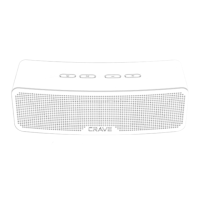
The Crave Curve Mini is a compact and portable Bluetooth speaker designed for on-the-go audio. It offers both wireless and wired connectivity options, making it versatile for various devices.
The Crave Curve Mini serves as a personal audio output device, allowing users to play music, podcasts, and other audio content from their smartphones, tablets, or other audio sources. It also features a built-in speakerphone and microphone, enabling hands-free phone calls when connected to a mobile device. The speaker is designed for ease of use with intuitive controls for power, volume, and track selection.
To turn the speaker on or off, simply press and hold the power button located on the top of the device. The speaker will provide an audible "Power On" tone when activated.
Before initial use, the Crave Curve Mini should be fully charged. Connect the provided Micro USB charging cable to the speaker's charging port and plug the other end into a USB charger (not included).
For wireless audio playback, enable the Bluetooth function on your device (e.g., smartphone, tablet). Hold the power button on the speaker for several seconds to power it on. After the "Power On" tone, you will hear a Bluetooth pairing signal, indicating that the speaker is in pairing mode. The speaker will remain in pairing mode until it is located and selected from your device's Bluetooth list. Look for "CRAVE Curve Mini" in the list of available devices. Once successfully paired, you will hear a "Bluetooth connected" tone.
For devices without Bluetooth capability or if you prefer a wired connection, the Crave Curve Mini can be connected using a 3.5mm stereo audio cable (not included). Simply connect one end of the audio cable to the 3.5mm port on the speaker and the other end to the 3.5mm output port of your audio device. Audio will then play through the speaker.
For the best audio experience, consider the following:
When the Crave Curve Mini is connected to a smartphone via Bluetooth, you can use its built-in speakerphone and microphone for hands-free calls. To accept or end a phone call, manage the call directly from your connected phone. The speaker will transmit the caller's voice and your voice through its microphone.
To clean the Crave Curve Mini, use a dry cloth only. Avoid using wet cloths or liquids, as moisture can damage the internal components.
 General
| Type | Portable Bluetooth Speaker |
|---|---|
| Brand | Crave |
| Model | Curve Mini |
| Battery Life | Up to 10 hours |
| Water Resistance | IPX5 |
| Bluetooth Range | 33 feet |
| Colors | Black, Blue, Red |
| Connectivity | Bluetooth |

 To Next Page