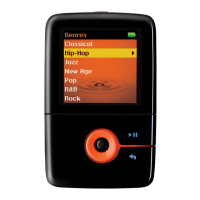
When you have found the channel you want, press and hold the Menu/Select button to display the
option menu.
3.
Scroll to Save Preset and press the Menu/Select button.4.
Scroll to a preset slot and press the Menu/Select button to save.5.
To set your channel presets automatically
In FM Radio mode, select the Tuning submode.1.
Press and hold the Menu/Select button to display the option menu.2.
Select Autoscan Yes.
When autoscan completes, Preset 1 is selected.
3.
Note
Performing an autoscan overrides all current channel presets. New channel presets are arranged in
order of frequency.
•
Your player can store up to 32 channel presets.•
Listening to FM Radio
In FM Radio mode, select the Preset submode.1.
Press or to go to the previous or next channel preset.
Press and hold or to scroll more quickly.
2.
Note
(For players with built-in speaker only)
To listen to FM Radio through the speaker, connect your earphones to your player and turn on the
speaker using your player's menu. The earphones work as antennas to receive FM Radio signals
•
Deleting Channel Presets
In FM Radio mode, select the Preset submode.1.
Press or to go to the channel preset you want to delete.2.
Press and hold the Menu/Select button to display the option menu.3.
Select Delete Preset Yes.4.
Creative ZEN Stone Plus User's Guide
Setting Channel Presets 15



 To Next Page