Congratulations 1
English
Congratulations
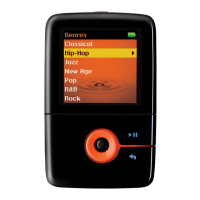
Thank you for purchasing Creative ZEN™ V / ZEN V Plus! Read on to learn
how to get started with your new player!
To get the most out of your player, also read the comprehensive User’s
Guide on your Installation and Applications CD.
NOTE Product specifications may vary, depending on model purchased.
( )
1
13
2
3
4
12
5
6
7
8
9
10
11
( )
( )
1. Power switch
2. Lock
3. Microphone
4. LINE IN jack
5. Headphone jack
6. USB 2.0 port
7. Volume Increase
button
8. Volume Decrease
button
9. Record button
10. Play/Pause button
11. Back/Options
button
12. 5-way Navigation
Joystick
13. Reset button
Zen V Series.book Page 1 Thursday, June 22, 2006 11:06 AM


 To Next Page
