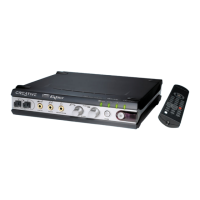
Creative Professional 3
Table of Contents
1- Introduction ................................................................. 7
Welcome!.............................................................................................................................. 7
All Systems Include: ......................................................................................................... 7
E-MU 1212M System ....................................................................................................... 8
E-MU 1820 System .......................................................................................................... 8
E-MU 1820M System ....................................................................................................... 8
Notes, Tips and Warnings ............................................................................................ 8
2 - Installation .................................................................. 9
Setting Up the Digital Audio System .................................................................................. 9
Notes for Installation ................................................................................................... 9
Safety First! ................................................................................................................. 10
Connector Types ............................................................................................................ 10
Installing the E-MU 1010 PCI Card .................................................................................. 11
Install the Sync Daughter Card or 0202 Daughter Card.................................................. 12
E-MU 0202 & AudioDock .......................................................................................... 13
Rubber Feet ................................................................................................................. 14
Rack Mounting the AudioDock ..................................................................................... 14
Software Installation .......................................................................................................... 15
Installing the E-MU 1010 Drivers ............................................................................. 15
Windows 2000 or Windows XP ................................................................................ 15
Uninstalling all Audio Drivers and Applications ..................................................... 15
Note About Windows Logo Testing .......................................................................... 15
3 - PCI Card & Interfaces ................................................. 17
The E-MU 1010 PCI Card.................................................................................................. 17
Connections ................................................................................................................... 17
EDI Connector ............................................................................................................ 17
S/PDIF Digital Audio Input & Output ...................................................................... 17
ADAT Optical Digital Input & Output ...................................................................... 17
IEEE1394 Firewire ...................................................................................................... 18
The 0202 Daughter Card ................................................................................................... 18
Connections ................................................................................................................... 18
Analog Inputs and Outputs ....................................................................................... 18
MIDI In/Out ............................................................................................................... 18
The AudioDock .................................................................................................................. 19
Front Panel Connections ............................................................................................... 20
Preamp Section ........................................................................................................... 20
MIDI 1 In/Out ............................................................................................................ 20
S/PDIF Optical Out .................................................................................................... 20
Headphone Output & Volume Control .................................................................... 20


 To Next Page
 Loading...