1
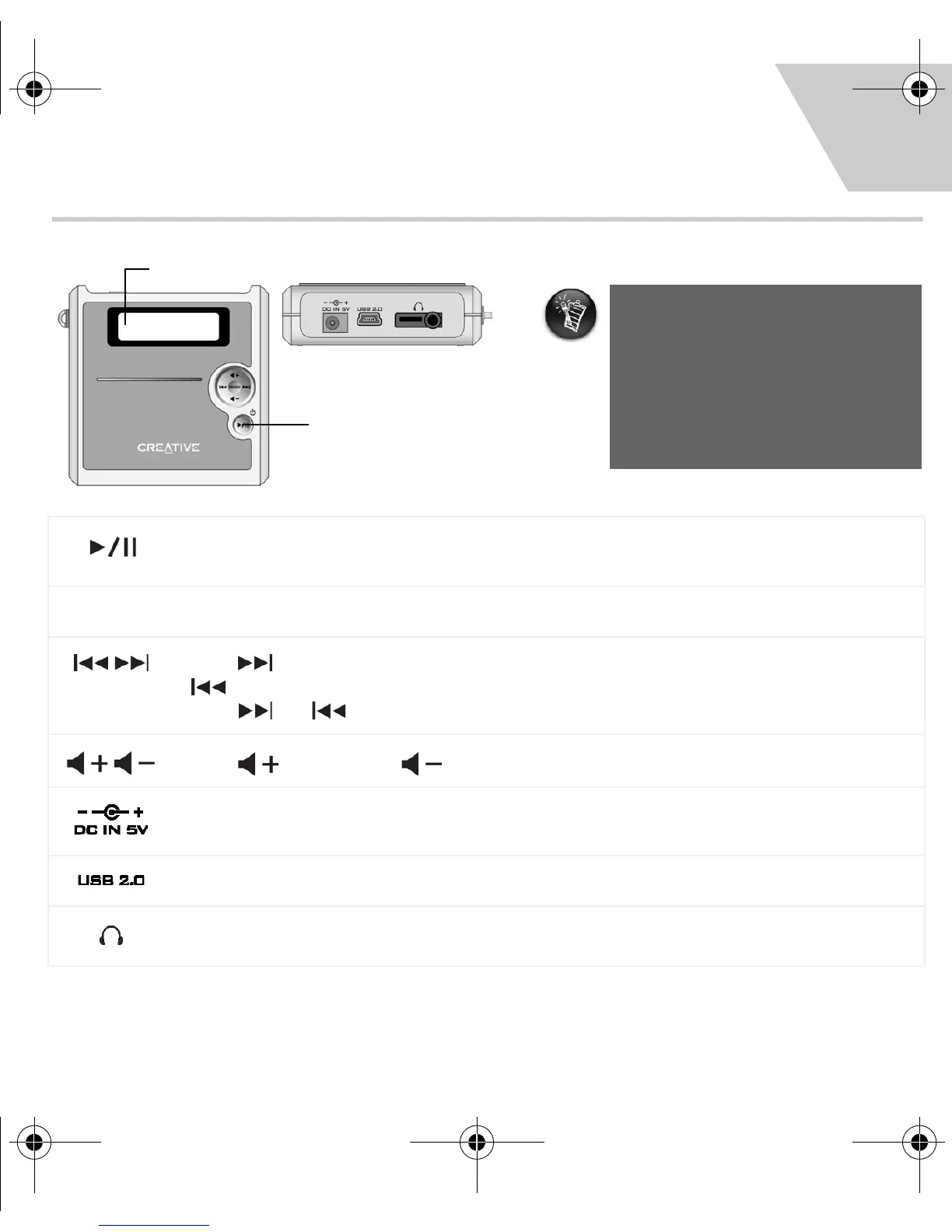
Your Player At A Glance
Press and hold to turn your player on and off.
Press once to start playing tracks, and press again to pause playback.
MENU
Press to display Menu options on the LCD. Press again to select a Menu option.
Press to skip to the next track, and press and hold to skip ahead within a track. Press
to skip to the previous track, and press and hold to skip back within a track.
Press and to browse Menu options on the LCD.
Press to increase or to decrease the volume.
Connects to a power outlet using the supplied power adapter.
Connects to your computer’s USB port using the supplied USB cable.
Connects to headphones, or the Creative FM Wired Remote (available separately).
Press and hold this
button to turn your
player on and off.
Your player may take a while to
start up, depending on the number
of files you have loaded. If the
screen appears to have stopped
responding, wait for at least 30
seconds before you attempt to
restart your player.
EN
New_English_Omicron_13pg.fm Page 1 Tuesday, March 23, 2004 6:47 PM














 To Next Page