Suggested Review Steps with a Mobile Phone
• Prepare a mobile phone capable of media playback and ability to support three-
way conferencing (if you wish to audition this function)
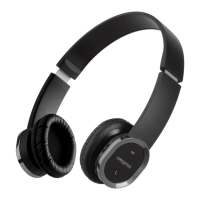
• Pair and connect WP-450 with the mobile phone as outlined in previous sections
• Play and listen to a media file on the mobile phone
• Now from another phone, place a call to the mobile phone
• You will hear an audible tone in your WP-450 indicating an incoming call. Press the
multifunction button to accept the call
• You will notice that the media playback is paused for your voice call
• Once you are done with the call, the media playback resumes
• Repeat above steps for a conference call as outlined in the user guide




 To Next Page