8 Disconnect Your Player
Step 5: Disconnect Your Player
When you have finished transferring files, disconnect your player.
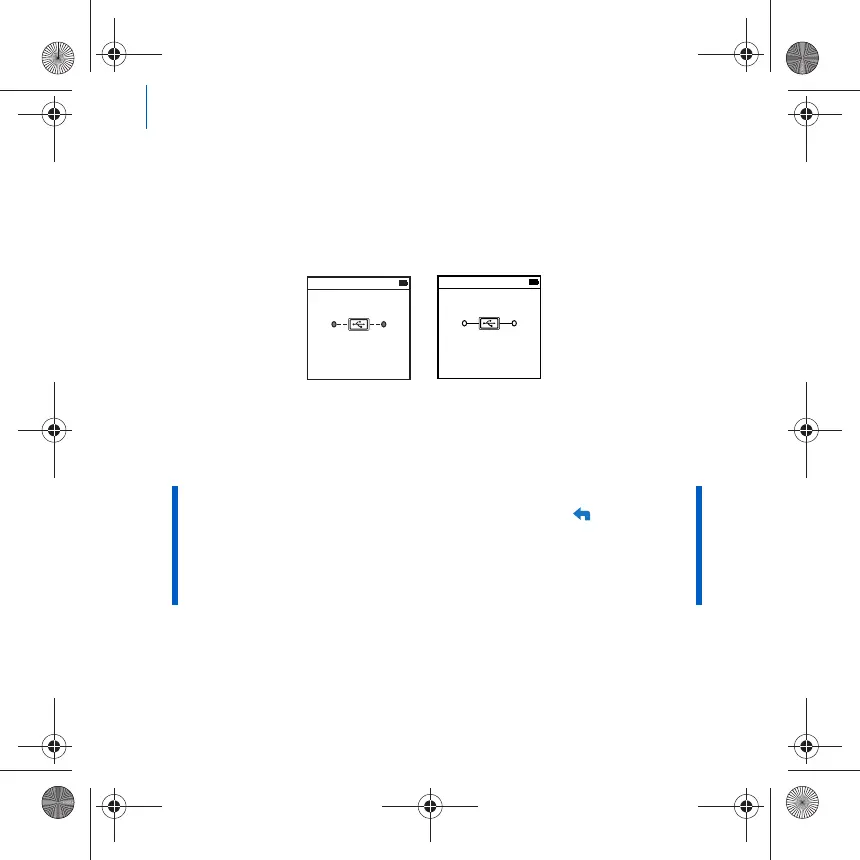
DO NOT disconnect your player if you see the left picture below on the
display. Track or data file transfer is in progress and disconnecting your
player may damage the content being transferred. When you see the right
picture below on the display, disconnect your player.
Step 6: Play Media Files or View Pictures
You are now ready to play or view files, including Audible
®
and ZENcast
audio files.
To play music, Audible or ZENcast audio files
1 Connect your earphones to the Headphone jack.
2 In the main menu, select Music Library → category that you want.
3 Select a track and select Play.
NOTE ■ The video function is available on ZEN V Plus players only.
■ At any time, press and hold the Back/Options button for more
options.
■ Files in your player are sorted alphabetically for quicker
searches.
■ For updated information about your player's support for ZENcast
media files, visit www.zencast.com.
Docked
Docked
Zen V Series_CLA.fm Page 8 Monday, December 4, 2006 1:37 PM











 To Next Page