10 Connecting Your Player to a TV
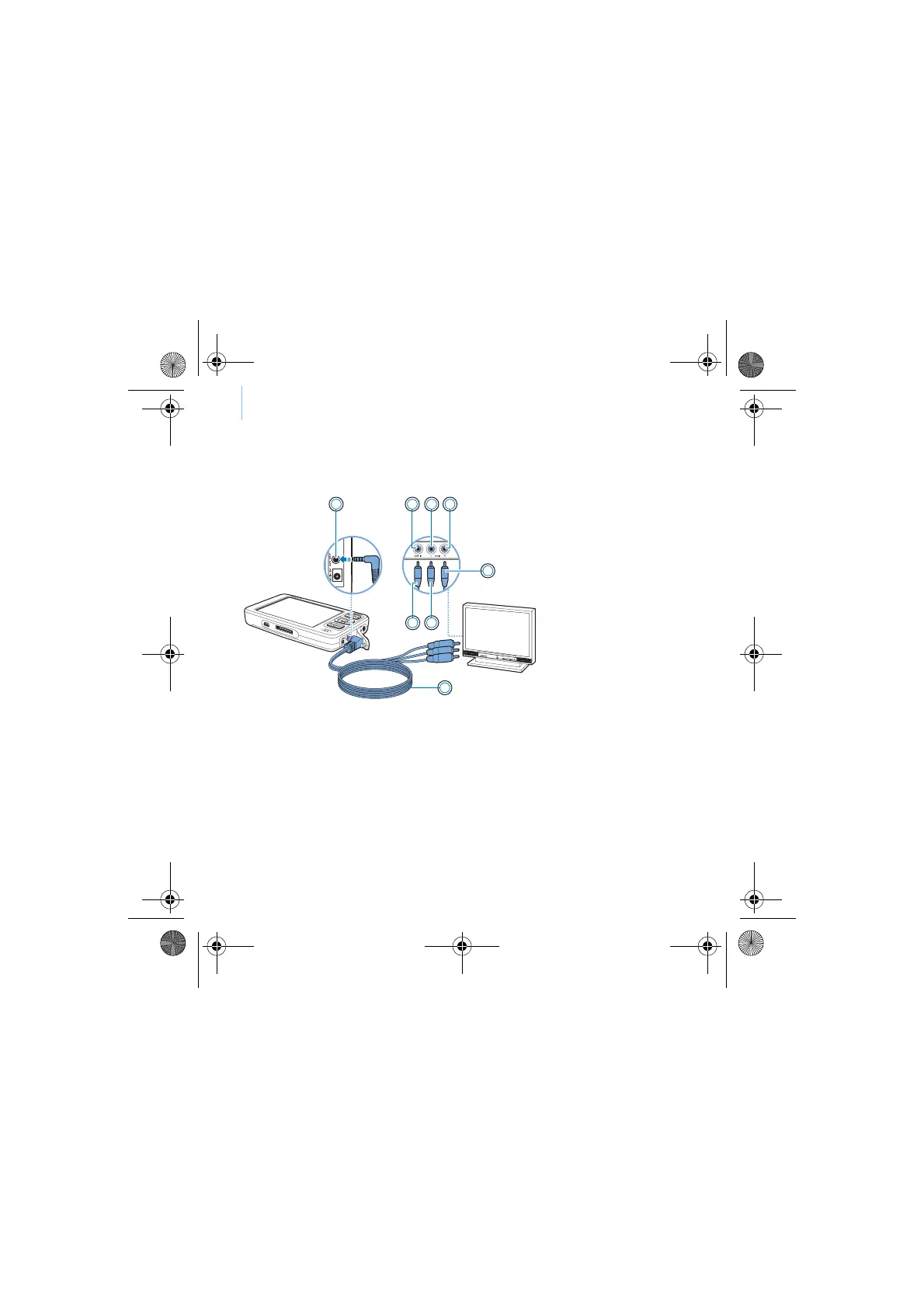
4 Connect your player to a TV with the supplied video cable, as shown below.
DO NOT use a standard video cable.
1 2
7
3 4
5
8
6
1. A/V Out jack
2. Video In jack - Yello
3. Audio In (Left) jack -
White
4. Audio In (Right) jack
Red
5. Red connector
6. White connector
7. Yellow connector
8. Video cable
CLE_Monet QS_Rev 2.book Page 10 Tuesday, August 30, 2005 10:53 AM















 To Next Page