4
Turning the Hob zones on
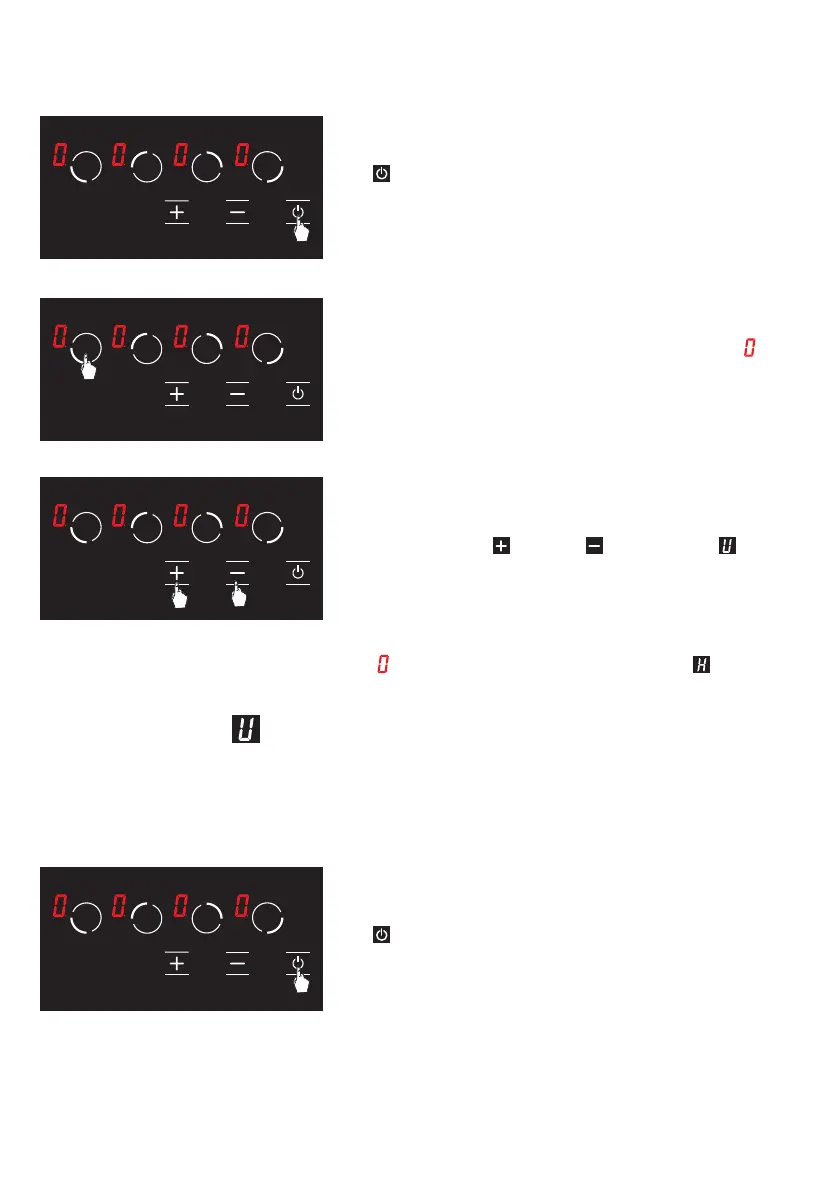
1. Turn the stove on by pressing the button.
(See Fig. 5)
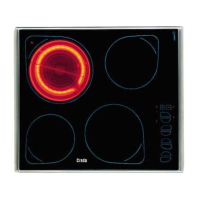
2. Press the relevant hob selection key. The
icon
shall be displayed in the relevant hob when you
touch for the rst time. (See Fig. 6)
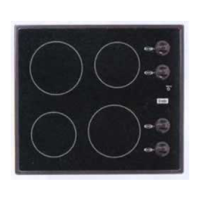
3. Cooking level of the relevant hob may be set from
1 to 9 using the
and the keys or from to 9 as
per the option of the stove. (See Fig. 7)
WARNING: If the hob selected is hot,
icon shall be displayed instead of icon after
the selection is made.
Keep Warm Function
(Optional)
Keep warm function keeps the cooked food placed on a cooking area warm. The selected
hob is operated with a lower power in this function. Keep warm function is also a cooking
level.
To activate the keep warm function;
1.
Turn the stove on by pressing the button.
(See Fig. 8)
Figure 5
Figure 6
Figure 7
Figure 8
17


 To Next Page