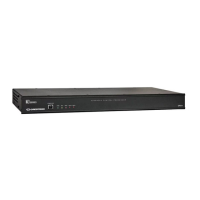
The Crestron® CEN-IO-COM-102, CEN-IO-DIGIN-104, CEN-
IO-IR-104, and CEN-IO-RY-104 allow for easy expansion of
I/O ports within a system. Distribute these wired Ethernet
modules anywhere in the installation via an available LAN
connection.
The CEN-IO-COM-102, CEN-IO-DIGIN-104, CEN-IO-IR-104,
and CEN-IO-RY-104 share a similar installation procedure.
For simplicity within this guide, the term CEN-IO is used
except where noted.
Check the Box
Item Qty
CEN-IO-COM-102, CEN-IO-DIGIN-104,
CEN-IO-IR-104, or CEN-IO-RY-104
1
Bracket, Mounting, Integrated DIN Rail Clip,
Black (P/N 4519035)
1
Screw, 6-32 x 3/8”, Pan Head, Phillips, Black
(P/N 2007225)
2
CEN-IO-COM-102 Only
Connector, 5-Pin (P/N 2003577)
2
CEN-IO-DIGIN-104 Only
Connector, 5-Pin (P/N 2003577)
1
CEN-IO-IR-104 and CEN-IO-RY-104 Only
Connector, 8-Pin (P/N 2003580) 1
Install the Device
The Crestron® wired Ethernet module can be mounted on a
DIN rail, mounted to any flat surface, or placed onto a flat
surface. If necessary, use screws that are suitable for the
mounting surface with a minimum head size of 6.5 mm.
NOTE: The wired Ethernet module can also be rack
mounted. For rack mount installation, refer to
the RMK-IFE-1U Installation Guide (Doc. 7615) at
www.crestron.com/manuals.
DIN Rail Mounting
DIN rail
Mounting
bracket
Screws (2)
CEN-IO
NOTE: When mounting the device to a DIN rail, do not use
the supplied screws to mount the bracket to the bottom of
the wired Ethernet module. Removing the module from the
DIN rail will not be possible.
Flat Surface Mounting
Flat
surface
Mounting
bracket
Screws (2)
CEN-IO
Connect the Device
NOTE: Use PoE derived from a UL Listed source having
LPS/Class 2 outputs.
Crestron provides four wired Ethernet modules. Each offers
a different input/output connection. Modules are powered
via Power over Ethernet (PoE). A ground screw is available,
if needed.
CEN-IO-COM-102 Connections
LAN PoE:
Power and
10BASE-T /
100BASE-TX
Ethernet from a
PoE injector or
Crestron control
system
COM:
To
RS-232
devices
Ground
CEN-IO-DIGIN-104 Connections
LAN PoE:
Power and
10BASE-T /
100BASE-TX
Ethernet from a
PoE injector or
Crestron control
system
DIGITAL
IN (1-4):
From
control
devices
Ground
CEN‐IO-COM-102/CEN‐IO-DIGIN-104/CEN‐IO-IR-104/CEN‐IO-RY-104
Wired Ethernet Modules

 Need help?
 General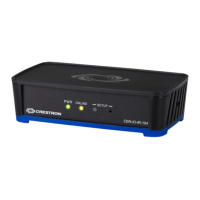

 To Next Page