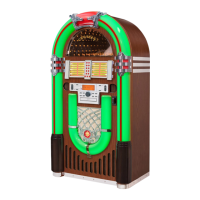
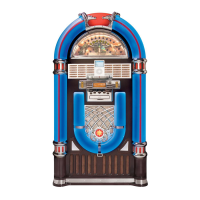
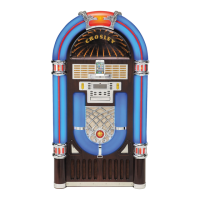
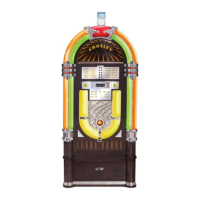
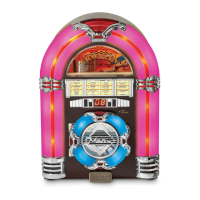
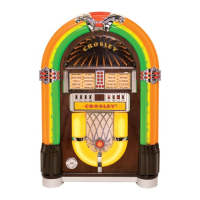
The Crosley CR1215A-WA is a digital LED jukebox with Bluetooth connectivity, designed for indoor use. This instruction manual provides comprehensive details for its setup, operation, and troubleshooting.
Function Description:
The CR1215A-WA jukebox offers multiple audio playback options, including CD, AM/FM radio, Bluetooth, and an auxiliary (AUX) input. It features digital LED lighting with four selectable light sequences, enhancing its aesthetic appeal. The unit is designed for ease of use, with most functions controllable via a front panel interface hidden behind a simulated title strip panel, or through a supplied remote control.
Important Technical Specifications:
- Power Source: DC 21V via an AC power adapter.
- Speaker Output: Supports internal speakers (INT), external speakers (EXT), or a mix of both (MIX). External speakers require an 8Ω impedance.
- Connectivity:
- FM Antenna jack for radio reception.
- AUX IN (RCA input) for connecting external audio devices.
- Bluetooth for wireless audio streaming.
- CD Player: Supports standard audio CDs and MP3 CDs with folder navigation.
- CD Programming: Allows storage of up to 20 tracks in a desired sequence.
- Remote Control: Operates on two AAA batteries (included).
- Safety: Features a polarized or grounding-type plug for safety.
Usage Features:
- Initial Setup: Involves connecting the AC power adapter, plugging it into a wall socket, and ensuring the rear power switch is "ON." The FM antenna needs to be unwound and connected for optimal radio reception.
- Speaker Configuration: A switch on the rear panel allows selection between internal speakers only (INT), external speakers only (EXT), or both (MIX). The MIX setting provides the highest volume when external speakers are connected. If no external speakers are attached, operating in MIX mode will result in lower volumes from the internal speaker.
- Front Panel Controls: The main controls are revealed by flipping down the simulated title strip panel. These include POWER, INPUT (for selecting Tuner, CD, Bluetooth, or AUX), VOL+ / VOL- for volume adjustment, and LIGHT MODE for changing LED lighting patterns.
- Remote Control Operation: Nearly all jukebox functions can be operated remotely. The remote control should be pointed towards the remote sensor located near the center of the jukebox, just above the "CROSLEY" name.
- CD Playback:
- Select CD mode using the INPUT button.
- Press OPEN/CLOSE to open the CD compartment, insert a disc (printed side up), and close the compartment.
- Tracks play automatically after scanning.
- FF>> and FR<< buttons allow track skipping. Holding these buttons advances or rewinds within a song/track.
- STOP button halts playback.
- REPEAT button allows repeating a single song (once) or the entire CD (twice).
- Play/Pause button suspends and resumes playback.
- MP3 CD Playback:
- While the CD is stopped, use Folder Up/Down buttons on the remote to navigate folders.
- Use Forward Skip/Backward Skip to select desired tracks.
- Press Play to start.
- REPEAT functionality extends to repeating a single song, the current folder, or all folders on the CD.
- Programming Tracks: Up to 20 tracks can be programmed. This involves pressing PROGRAM, selecting tracks using PREV/CH- or NEXT/CH+, and confirming with PROGRAM. Programming is erased by powering off, changing input mode, or opening/closing the CD tray.
- Bluetooth Operation:
- Select BT INPUT mode.
- On your Bluetooth device, search for "CR-1215A" and pair. An ascending tone confirms successful pairing.
- Play audio from your connected device, ensuring its volume is adjusted.
- FF>> and FR<< on the remote skip tracks. Play/Pause controls playback.
- AM/FM Radio Operation:
- Select Tuner Mode using the INPUT button.
- Press AM/FM to switch bands.
- SCAN/PAIR button auto-scans and sets stations in memory.
- PREV/CH- or PREV/CH+ (or FF>>/FR<< on remote) manually scan for the next available station.
- CH-/FOLD or CH+/Fold (or PREV/CH-/PREV/CH+ on front panel) navigate preset stations.
- Auxiliary (AUX) Audio Operation: Connect an external audio device to the RCA input on the rear panel. Ensure the external device has proper volume adjustment.
- Optional Stand (ST15-WA, Not Included): The ST15-WA Crosley Jukebox Stand is sold separately and elevates the jukebox for easier operation, providing storage for CDs and the remote. It requires two people to place the jukebox on the stand, ensuring casters align with indentations.
Maintenance Features:
- Cleaning: Clean the jukebox only with a dry cloth.
- Troubleshooting: The manual provides solutions for common issues such as no power (check connections, AC adapter LED, wall socket), no sound (check volume, speaker switch setting, power switch, AUX device volume), CD not playing (check insertion, cleanliness, function mode, format), and remote not working (replace batteries, ensure clear path to sensor).
- Servicing: Refer all servicing to qualified service personnel. Do not attempt to carry out work not specifically instructed in the manual due to high voltage parts. Disconnect power if the jukebox malfunctions.
- Moving: Do not attempt to lift the jukebox with one person. If using the optional stand, separate the jukebox from the stand before moving.

 Need help?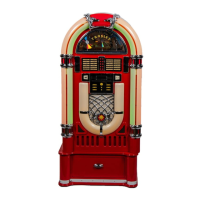


 To Next Page
 General