Charging
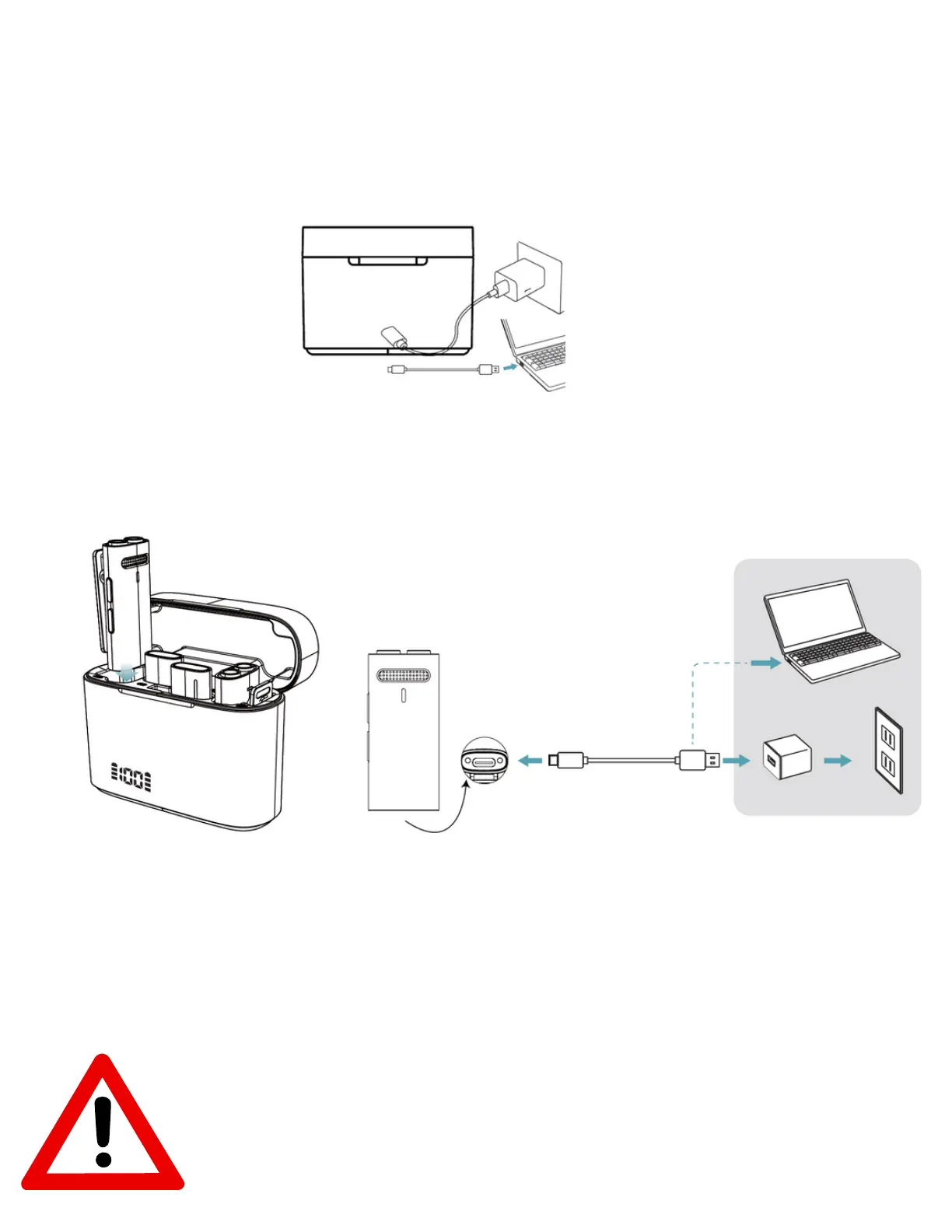
Charging the case: Use the type-C charging cable (provided) to connect your
computer (with power on) or an adapter (not provided) to your charging case.
The display on case flashes numbers while charging.
Charging the Microphone Transmitter: A Put the microphone transmitter into
the charging case and close the case. The charge case indicator number lights
up and the corresponding battery symbol flashes.
B). microphone can also be charged without the case Use the Type-C charging
cable (provided) to connect your computer (with power on) or an adapter (not
provided) to your microphone transmitter. The red light is always on and turns
off after fully charged.
Use laptop connection or the 10W adapters for charging the
case, it is highly not recommended to use the fast or high
wattage adapters for prolonged case and device health.


 To Next Page
 Loading...