Tiiwee PIR moon sensor TWPIR02
This sensor can be used to guard rooms or areas. When the paent moves in the
observed area, a signal will be sent to the CruxCare C1 Pager.
Step❶
Step❷
Power supply: 3 x AAA alkaline baery or by an external 5V/1A DC power supply
connected through the micro-USB port. The baeries can stay inside the sensor
while the external power supply is connected and in use. They will work as a
power backup in case of 220V power failure. The power adaptor is not included
with the product.
Detecng Range: 4-8 m/110 degrees angle
Detector Size: 106x67x45mm
Housing material: ABS
Radio-frequency: 433 MHz
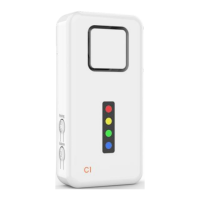
Detector window On/Off switchIndicator light Micro USB port Wall mount plate
5. Connecng accessories
IMPORTANT: if you have purchased a product containing the pager and an
accessory, the accessory is already connected. The pairing procedure is only
needed for addional devices or if you want to change the zone for an accessory
that is already connected.
IMPORTANT: If no buon is pressed or no accessory is connected, the pager will
automacally exit the programming mode aer 20 seconds. If this happens, just
enter programming mode again as outlined in Step 1.
IMPORTANT: If you hear only one beep during pairing, it means that the
accessory was already paired to the pager previously. If you want to change the
sengs for this accessory, reset the pager and connect the accessory to the zone
you wish to.
Enter Programming mode
●
Ensure that the pager is switched on.
●
Press and hold the Connect-buon unl you hear a beep.
●
The pager immediately goes into pairing mode for the red zone.
●
Select the desired zone by short-pressing the Connect-buon again.
●
The respecve zone indicator will be shown.
Pair with compable devices (use selected CruxCare or Tiiwee accessories only)
●
While the pager is in programming mode (respecve zone indicator light is on,
step 1), trigger the device you would like to connect.
●
You hear two short beeps, and the zone indicator light will flash twice to
acknowledge successful pairing.
●
You can now connue to add more devices to the same or other zones.
●
Exit the programming mode by short pressing the volume buon.
76


 To Next Page
 Loading...