Step❸
IMPORTANT: it is always advised to test the operang range within your
building or work environment.
IMPORTANT: Aer a factory reset, all accessories will need to be connected
again. Please refer to chapter 5 for accessory pairing instrucons.
IMPORTANT: Aer the factory reset, the volume seng will be at the highest level.
Test the pager
●
Trigger the connected accessory
●
The pager will sound
●
The respecve zone indicator light will flash
●
To stop the sound, press any of the two buons on the pager
6. Indicaon of low baeries
Product Low baery indicaon
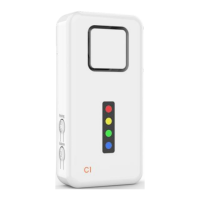
CruxCare C1 Pager Two consecuve beeps every 20 seconds
accompanied by a flash of all LEDs
CruxCare call buons red & blue
(CCCB01R CCCB02B)
No low baery indicaon. Replace baeries every
six months
Tiiwee window & door sensor (TWWS03) LED light of the sensor is blinking or is connuous lit
Tiiwee PIR moon sensor (TWPIR02) The indicator light in the front lights up connuously
7. How to replace baeries
CruxCare C1 pager
Take the pager out of the silicone sleeve. If you used the screw to secure the rear
panel, remove the screw at the boom. Slide off the back panel and replace the
baeries with 3x AA-size 1.5V alkaline baeries.
IMPORTANT: do not use rechargeable baeries. Only use alkaline baeries.
8. Reseng the C1 pager to factory sengs
Use this procedure when you want to assign an accessory to a different zone.
9. Customer service
If addional support is required, please visit . Here you can find www.iwee.com
supplementary support material as well as our support videos in your language.
You can also contact us at . We respond within 24 hours to all info@iwee.com
quesons, but mostly sll on the same day. We provide a two years warranty on
all our products.
®
CruxCare products are manufactured in China.
® ®
CruxCare and iwee are registered brands owned by Tiiwee B.V.
CruxCare call buons
Open the buon at the site where the lile cutout is visible at the rim of the call
buon. This can be done with the p of a knife or a screwdriver. You will now see
the baery. Replace the baery with a new CR2450 (3V) baery. Please note the
correct polarity. Close the call buon by placing the cutouts opposite each other
and pressing the two halves together.
Tiiwee window & door sensor
Remove the screw at the boom of the sensor. Now slide the sensor upwards and
remove it from the back panel. Take out the old baery and replace it with a new
AAA alkaline baery. Please note the correct polarity of the baery. Slide the
sensor on the back panel and secure it with the screw at the sensor's boom.
Test the sensor.
Tiiwee PIR moon sensor
Open the back panel and replace the baeries with 3x AAA baeries.
●
Remove one of the 3 x AA baeries
●
Press and hold the Connect-buon while inserng the baery again
●
You will hear ten beeps, followed by ten short beeps
●
Release the buon
●
Aer the factory reset, the pager will switch on again automacally
98


 To Next Page
 Loading...