
 Need help?
Do you have a question about the CruxCare C2 and is the answer not in the manual?
Provides a general description of the CruxCare C2 Home Alert System and its purpose.
Guides users on the initial setup and first use of the CruxCare product kit.
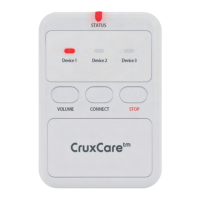
Details the CruxCare C2 Pager, its features, unpacking, and notification sound settings.
Provides instructions on how to stop an active notification sound from the Pager.
Details the red and blue call buttons, their use, stopping sounds, and installation.
Explains how to use the call button Pro for assistance and how to stop alerts.
Describes the bathroom call button, its use, stopping alerts, and installation.
Details the bed mat's function, stopping sounds, and positioning for alerts.
Explains the window and door sensor's function and provides mounting examples.
Procedure to clear the Pager's memory before connecting new devices.
Steps to put the C2 Pager into connection mode for pairing accessories.
Guide on how to connect up to three devices to the C2 Pager.
Instructions on how to test the paired devices and the Pager's functionality.
Instructions for replacing the batteries in the CruxCare C2 Pager.
How to open call buttons and replace their batteries.
Steps for replacing batteries in Pro call buttons, bed mat, and door sensor.
 General
| Brand | CruxCare |
|---|---|
| Model | C2 |
| Category | Security System |
| Language | English |

 To Next Page