EasyManua.ls Logo

Csasan J90 Pro - Page 4

Csasan J90 Pro
8 pages
Print Icon
To Next Page IconTo Next Page
To Previous Page IconTo Previous Page
Loading...
04 EN
























i
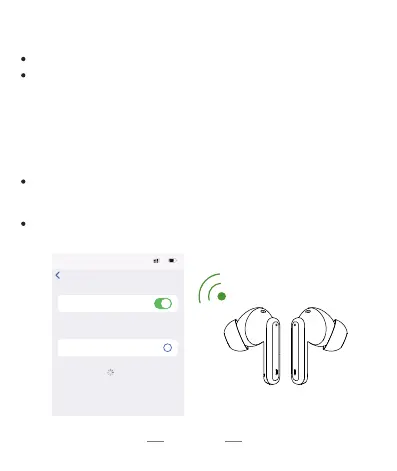
ConnectedJ90 Pro
Bluetooth
Bluetooth
00:00
5G
Settings
OTHER DEVICES
MY DEVICES
Now discoverable as “IPhone”.
To pair an Apple Watch with your iPhone, go
to the Apple Watch app
How do I pair two headphoneswith my phone?
Pleasemake sureboth the earbudsand thecharging caseare fully charged t*fore first use.
Step I
Take both earbuds out of the charging case and both earbuds will power on and start
pairing automatically
(If the are not ccmnected to device for more than 5 rnirmtes,the earbudswill
autcmatically turn off. Press MFR button about 3 seccmdgto manually the
The indicator light Of one earbud Will flash White alternately, and the Otherearbud Will
Slowly flash White When2 earbudspaired successfully
Step2
Enable the Bluetooth pairing mode on your phone device, search and select '90 to
Connect.(Youshould hear a voice prompt Whenwearing earbuds).
If indicator light of earbud ig off,it meansthe phone is connected
04 EN