The CSL UNITY F27B/W-ALS is an All-in-One PC, models 89908 and 89947, designed for general computing tasks. It integrates the display and computer components into a single unit, offering a streamlined setup. The device comes with a stand, a bracket for 2.5" SSD/HDD mounting, a power supply unit, and a quick start guide.
Function Description:
The CSL UNITY F27B/W-ALS functions as a complete personal computer, suitable for various applications from office work to multimedia consumption. It features an integrated display, eliminating the need for a separate monitor. The PC supports external displays via an HDMI output, allowing for extended desktop setups or connection to larger screens. It includes multiple USB ports for connecting peripherals, a LAN port for network connectivity, and a microSD card reader for data transfer. Audio is handled by integrated loudspeakers and dedicated 3.5mm jacks for microphone input and headphone output. The system runs on Windows 11, providing a modern and familiar operating environment.
Important Technical Specifications:
- CPU: Intel® N200, with a burst frequency of 4x 3700 MHz.
- RAM: 1x SO-DIMM DDR4-RAM slot, allowing for individual configuration (specific details depend on the model designation).
- Storage:
- M.2 PCIe NVMe / SATA SSD 2242 slot for primary storage.
- 2.5" SATA expansion slot for SSD/HDD, enabling additional storage capacity (specific details depend on the model designation).
- Graphics: Intel® UHD Graphics 11th Gen., 800MHz.
- Display: 27" (68.6 cm) IPS-Display with Full HD resolution (1920 x 1080 pixels).
- Network:
- 1200 Mbit/s Wireless LAN, Wifi 6, Realtek 8852BE 802.11 a/b/g/n/ac/ax, 2.4 & 5 GHz Dualband.
- Gigabit Ethernet LAN (RJ45).
- Bluetooth® 5.2.
- Connections:
- 1x HDMI-Out (up to 4K @ 60Hz).
- 2x USB 2.0 (Type A).
- 3x USB 3.2 Gen 2 (Type A).
- 1x 3.5mm jack Microphone-In.
- 1x 3.5mm jack Microphone-Out.
- 1x microSD-Cardreader for SD/SDHC/SDXC.
- 1x RJ45/Gigabit-LAN.
- 1x 5.5mm DC-round plug socket for power.
- Sound: 2x Loudspeakers.
- Operating System: Windows 11 (specific details depend on the model designation).
- Dimensions (without stand): 615 × 365 × 7-34mm (WxHxD).
- Dimensions (with stand): 615 × 445.5 × 125 mm (WxHxD).
- Power Supply (PC): Input 19V DC, 3A.
- Power Adapter (External): Input 100-240V AC / 50~60Hz, Output 19V DC, 3A.
Usage Features:
- Easy Setup: The All-in-One design simplifies setup, requiring minimal cable management. The stand is easily assembled with screws.
- Adjustable Display: The display offers a tilt angle from -5° to +15°, allowing users to adjust it for optimal viewing comfort with minimal effort.
- Storage Expansion: The inclusion of a 2.5" SATA expansion slot and an M.2 PCIe NVMe/SATA 2242 slot provides flexibility for users to upgrade or expand storage as needed.
- Memory Configuration: The SO-DIMM DDR4-RAM slot allows for individual memory configuration, catering to different performance requirements.
- Connectivity: A wide array of ports ensures compatibility with various peripherals and external devices, including USB sticks, mice, keyboards, and additional monitors.
- Wireless Communication: Integrated Wi-Fi 6 and Bluetooth 5.2 enable high-speed wireless network access and seamless connection to Bluetooth devices like headphones or speakers.
- System Recovery: The PC supports Windows 11 system recovery options, allowing users to reset the PC while keeping personal files or removing everything, restoring it to its delivery state. This can be initiated from within the operating system or via advanced startup options if the system fails to boot.
- Bluetooth Device Management: Users can easily manage Bluetooth devices through the system settings, including adding new devices and viewing available connections.
Maintenance Features:
- Cleaning: The PC should be cleaned occasionally with a soft, dry, and lint-free cloth. Liquid cleaning agents, especially flammable ones, should be avoided.
- Ventilation: Ensure that ventilation openings are not blocked to prevent overheating. The PC should not be placed near heaters or other heat sources, or in enclosed spaces like cabinets or shelves.
- Cable Management: Cables should be routed to prevent tripping hazards and avoid placing objects on them.
- Static Electricity Protection: To prevent damage to sensitive components, static electricity should be discharged from the body by touching a metal surface before handling internal parts.
- Safety Precautions:
- Always switch off the PC when not in use for extended periods.
- Avoid using the PC during thunderstorms to prevent electric shock.
- Do not insert objects into housing openings.
- Prevent liquids from entering or getting on the PC.
- Do not operate the PC with damaged or scorched cables.
- Only use the supplied power supply unit.
- Do not attempt to open the device for repairs or modifications, as this voids the warranty.
- Protect the device from high humidity, water, snow, and sudden temperature changes or strong vibrations.
- Do not use the PC if housing parts have been removed or if it has been damaged.
- Disposal: Electrical and electronic devices, including this PC, must not be disposed of with household waste. They should be returned to designated public collection points for recycling, as per the European WEEE Directive, to prevent environmental damage from toxic components.
- Battery Disposal: Used batteries must be returned to the provider or public collection points. Symbols on batteries indicate the presence of lead (Pb > 0.004% mass), cadmium (Cd > 0.002% mass), or mercury (Hg > 0.0005% mass).

 Need help?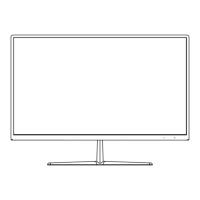

 To Next Page
 General