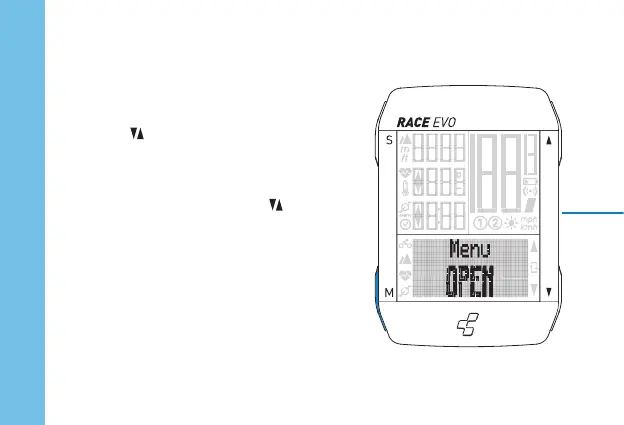
Press M key for 3 seconds to access or to exit the
settings menu.
Use the keys to browse through settings.
To access the selected setting, briefl y press the
S key.
Select the desired setting with the keys and
confi rm with the S key.
When the setting has been made, the display
shows „Set OK“.
Use the M key to return one step in the settings
menu. „Back“
If there is no reaction, the menu closes automati-
cally.
Set computer
ENGLISH




 To Next Page