23
Trophy Room
1) AutomaticallycopiesimagesfromyourSDcardto
yourPCandorganizesthembyyearanddate.
2) Allowsyoutorenameeachfoldermakingiteasy
to find your images.
3)
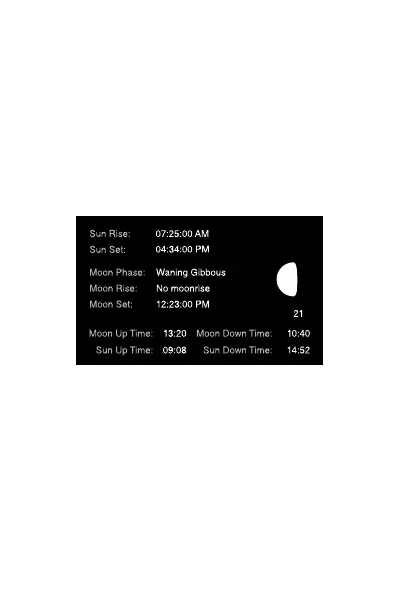
Displays sun and moon data for each image, including
moon phase, moon rise and set, sunrise and set, and
moon and sun position in the sky at the time the
image was taken.
4) Categorizesimagesasbuck,doe,fawn,bear,etc.
Thereare28categoriestoselectfrom.Forwhitetail
deer you can enter point count and give deer a name
to allow easy monitoring of trophy animals.
5) Automaticallycalculatesthebuck/doe/fawnratios
based upon your images.
6)
Includes CuddeChartswithwhichyoucananalyzeyour
images to determine pea
k
movement patterns based
upon sun and moon phase and position.
Trophy Room data screen example



 To Next Page