Help with parking and manoeuvring
the system itself will drive out of the parking
space bef
or
e starting parking in a similar way
to type .
Special case of driving forwards into a type
parking bay without driving past first
●
The necessary conditions to park with Park
Assist have to be met
›››
page 273 .
●
Move forward towards the parking space
while paying attention to traffic and stop the
vehicle with the front part partially inside the
parking space.
●
Press button once in the infotainment
system, > Assistants > Park Assist system.
●
When the system is connected, the symbol
on the Infotainment System screen is
highlighted. Additionally, the selected park-
ing mode is shown on the instrument panel
display without reduced display.
●
Release the steering wheel
›››
in Intro-
duction on pag
e 272
.
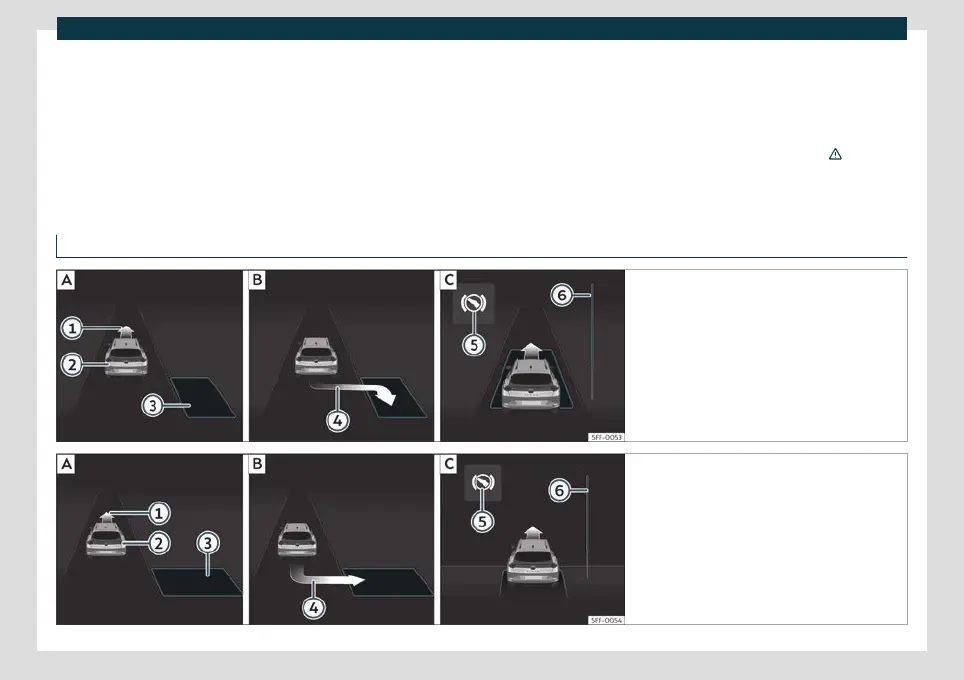
Parking with the parking assist system
Fig. 177 On the instrument panel display: parallel
parking.
Finding a parking space.
Parking posi-
tion.
Manoeuvring.
Fig. 178 On the instrument panel display: angle
parking.
Finding a parking space.
Parking posi-
tion.
Manoeuvring.
»
275



 To Next Page
 Loading...


