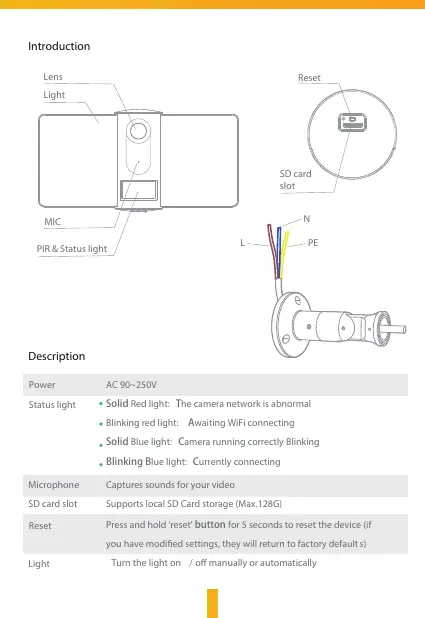
Reset
SD card
slot
PIR & Status light
MIC
Lens
Light
Introduction
Description
Power
Status light
AC 90~250V
Solid Red light: The camera network is abnormal
Blinking red light: Awaiting WiFi connecting
Solid Blue light: Camera running correctly Blinking
Blinking Blue light: Currently connecting
Captures sounds for your video
Supports local SD Card storage (Max.128G)
Press and hold 'reset' button for 5 seconds to reset the device (if
you have modied settings, they will return to factory default s)
Microphone
SD card slot
Light
Turn the light on / o manually or automatically 2
Reset
PEL
N


 To Next Page
 Loading...