
 Need help?
Do you have a question about the CVS Pharmacy KD-2220 and is the answer not in the manual?
Guide on how to install and replace batteries, including warnings and cautions.
Instructions on how to switch the temperature display between Fahrenheit and Celsius.
Steps to access and view previously stored temperature readings.
Procedure for clearing all stored temperature memory from the device.
Guidance on avoiding drops, electric shock, and unit damage.
Instructions for cleaning the probe with alcohol and allowing readjustment time.
Advice on cleaning the thermometer body and avoiding harsh cleaners or submersion.
Recommendation to remove batteries when the unit is not used for extended periods.
Guidelines for storing the thermometer away from extreme temperatures and humidity.
This document describes the CVS Digital Temple Thermometer, Model KD-2220, an electronic device designed for measuring human body temperature specifically at the temple. The thermometer is intended for consumer use and provides temperature readings in either Fahrenheit or Celsius.
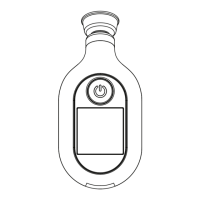
The CVS Digital Temple Thermometer measures temperature over the temporal artery area of the forehead. It operates by detecting the temperature of the skin at the temple, providing a reading within 6 to 10 seconds. The device is equipped with a power button for turning it on and off, and an LCD display to show temperature readings and other indicators. It also features a memory mode to store previous measurements and an auto shut-off function to conserve battery life.
To begin using the thermometer, two AAA 1.5V batteries must be installed, ensuring correct polarity. After battery installation, the user presses and releases the POWER button. The unit will beep once, then beep twice again, and display "°F", indicating it's ready. It's crucial not to place the probe on the temple before these two beeps or while an hourglass symbol is displayed.
Once ready, the thermometer probe should be placed firmly against the skin at the temple. The device will beep once more to signal the completion of the measurement. It's important to note that once the probe is placed on the temple, there's no need to press the POWER button again, as doing so will turn the unit off. The temperature reading will then be displayed on the LCD.
The display features a backlight that changes color based on the temperature reading. For temperatures up to 98.8°F (37.1°C), the backlight will be green. For readings between 98.9°F and 99.4°F (37.2°C and 37.4°C), it will be yellow. If the temperature is 99.5°F (37.5°C) or higher, the backlight will turn red, and eight consecutive beeps will sound to indicate a fever alarm.
After a measurement is completed, the unit will beep twice, confirming the reading has been recorded and it's ready for another measurement. However, consecutive measurements are not recommended. The unit can be turned off by pressing the POWER button, or it will automatically shut off after 1 minute of inactivity, accompanied by a beep.
The thermometer allows switching between Fahrenheit (°F) and Centigrade (°C) scales. This can be done within 3 seconds of turning on the device by pressing and holding the POWER button. The display will show "CH" along with either "°F" or "°C" to indicate the selected mode.
The device includes a memory mode to recall previous temperature readings. To access this, with the unit turned off, press and hold the POWER button for approximately 3 seconds until the most recent memory is displayed. Subsequent presses and releases of the button will scroll through older memories. Once finished viewing, discontinuing button presses will lead to two beeps, indicating the unit is ready for a new measurement.
Users also have the option to delete stored memories. While scrolling through memories, pressing and holding the POWER button for 3 seconds will display "dEL". Releasing the button and then pressing and releasing it again will complete the deletion process, showing "OFF" on the display and clearing all stored memories. If the button is not pressed and released a second time after "dEL" appears, the thermometer will return to recalling memories. It's important to understand that all memories are deleted in this process; individual memories cannot be deleted. Removing the batteries will also delete all memories.
Several important considerations for accurate use are highlighted. The thermometer should only be used to measure temple temperature, specifically the area between the outer corner of the eye and the hairline, over the temporal artery. It should not be placed on scarred tissue, open sores, or abrasions. Certain drug therapies can affect skin temperature, leading to inaccurate readings. Children should use the thermometer only under adult supervision.
To ensure correct readings, a waiting period of at least 2 minutes between continuous measurements is advised to allow the thermometer to return to room temperature. If the thermometer has been stored in a cold environment, it should be allowed to return to room temperature for at least 1 hour before use. Performance may be degraded if used or stored outside specified temperature or humidity ranges, or if the patient's temperature is below room temperature.
Body temperature varies among individuals and throughout the day, typically ranging from 95.9°F to 100.0°F (35.5°C to 37.8°C). Users are encouraged to learn their normal temple temperature when healthy to better identify elevated temperatures during illness. For consistency, measurements should always be taken from the same area of the temple. It is recommended to avoid taking measurements for at least 30 minutes after physical exercise, bathing, or eating. The temporal area should be dry and clean, free of sweat or make-up, before measurement.
The thermometer requires minimal maintenance. The tip and probe should be wiped with a cotton swab moistened with rubbing alcohol or an alcohol wipe before and after each use. After cleaning, a 2-minute wait is necessary for the unit to readjust to room temperature before taking another measurement. The body of the thermometer can be cleaned with a soft cloth if needed, avoiding thinner, benzene, or other harsh cleaners. Abrasive cleansers should not be used, and the thermometer should never be submerged in water or any other liquid.
Batteries should be removed if the thermometer will not be used for an extended period. The unit should not be exposed to extreme temperatures (cold or hot), high humidity, or direct sunlight, and should be stored at normal room temperature.
Troubleshooting guidance is provided for various error messages. "HI" indicates a temperature higher than the measuring range, requiring a 2-minute wait before re-measurement. "Er.1" signifies that the ambient room temperature is outside the operating range, and the unit should be kept at room temperature (approx. 60-104°F) for 30 minutes before use. "Er.2" indicates poor contact during measurement, causing the thermometer to stop measuring and power off; re-measurement is required. "Er.3" suggests a malfunction, prompting the user to contact the distributor. A low battery symbol indicates a low battery condition, requiring replacement with two new AAA batteries as soon as possible. If the display shows "OFF" with a battery symbol, the batteries need immediate replacement.
The device is not waterproof and should not be immersed in water or any liquid. It is also not shock-proof, so dropping it or exposing it to heavy or electric shock should be avoided as this can adversely affect its performance. Calibration is recommended every two years to maintain accuracy.
 General
| Type | Digital |
|---|---|
| Waterproof | No |
| Auto Shut-off | Yes |
| Fever Alert | Yes |
| Memory Recall | Yes |
| Accuracy | ±0.2°F (±0.1°C) |
| Memory | Last reading |
| Display | LCD |
| Auto Power Off | Yes |
| Measurement Site | Oral, Rectal |
| Measurement Time | 60 seconds |
| Battery | LR41 |

 To Next Page