EasyManua.ls Logo

Cyber Acoustics PS-2350 - User Manual

Cyber Acoustics PS-2350
2 pages
Print Icon
To Next Page IconTo Next Page
Loading...
PS-2350
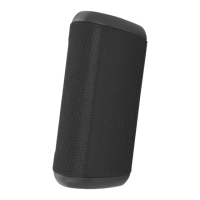
WIRELESS MONO SPEAKER
Your PS-2350 speaker contains Bluetooth® technology, allowing you to wirelessly play music from nearly any
Bluetooth enabled device. Now you can enter the room, select music to play on most smartphones, tablets, or
laptops, and control your listening enjoyment from the comfort of your lap. From your device, you can easily
control and change music tracks, playlists, adjust volume up or down, or even listen to podcasts, or many other
audio applications available on your device.
Congratulations
Wireless mono speaker
Cables
Carry pouch
Owner’s Guide with connection diagram
Box contents
Read Instructions Carefully – All safety and operating instructions should be read before this device is operated.
Heat – Keep speakers out of extreme heat and away from sources producing extreme heat, such as, space heaters, radiators, stoves and other devices
emitting heat.
Water and Moisture – Keep speakers out of the rain and humid conditions to avoid electric shock. Keep speakers away from water, such as, sinks, bathtubs,
swimming pools, washing machines, tubs of water, etc. in order to avoid electric shock. Keep water from dripping on the device, do not put objects
containing water, such as vases on top of the device, and do not put the device near standing water.
Cleaning – Use a dry cloth for cleaning. Do not wipe any part of the system with cleaning solvents, such as, furniture wax, bleach, benzene, or ammonia.
Speaker connection
Caution
Please read the step-by-step instructions along with the diagrams provided.
:03
1 2
3
54
PS-2350
Connected
Headset
Not Connected
AUX
3.5mm
(not included)
IMPORTANT SAFETY INSTRUCTIONS:
1. Read these instructions - All the safety and operating instructions should be read before this product is operated.
2. Keep these instructions- The safety and operating instructions should be retained for future reference.
3. Heed all warnings - All warnings on the appliance and in the operating instructions should be adhered to.
4. Follow all instructions - All operating and use instructions should be followed.
5. Do not use this apparatus near water -The appliance should not be used near water or moisture - for example, in a wet basement or near a swimming pool, and the like.
6. Clean only with dry cloth.
7. Do not block any ventilation openings. Install in accordance with the manufacture-s instructions.
8. Do not install near any heat sources such as radiators, heat registers, stoves, or other apparatus (including amplifiers) that produce heat.
9. Do not defeat the safety purpose of the polarized or grounding plug. A polarized plug has two blades with one wider than the other. A grounding plug has two blades and a
third grounding prong. The wide blade or the third prong is provided for your safety. If the provided plug does not fit into your outlet, consult an electrician for replacement of the obsolete outlet.
10. Protect the power cord from being walked on or pinched particularly at the plugs, convenience receptacles, and at the point where they exit from the apparatus.
11. Only use attachments/accessories specified by the manufacturer.
12. Use only with the cart, stand, tripod, bracket, or table specified by the manufacturer,
or sold with the apparatus.When a cart or rack is used, use caution when moving the
cart/apparatus combination to avoid injury from tip-over.
13. Unplug the apparatus during lightning storms or when unused for long periods of time.
14. Refer all servicing to qualified personnel. Servicing is required when the apparatus has been damaged in any way, such as power supply cord or plug is damaged, liquid has
been spilled or objects have fallen into the apparatus has been exposed to rain or moisture, does not operate normally, or has been dropped.
15. CAUTION: These servicing instructions are for use by qualified service personnel only.
To reduce the risk of electric shock, do not perform any servicing other than that
contained in the operating instructions unless you are qualified to do so.
16. This lightning flash with arrowhead symbol within an equilateral triangle is intended to alert the user to the presence of non-insulated “dangerous voltage” within the product’s
enclosure that may be of sufficient magnitude to constitute a risk of electric shock.
- Warning: To reduce the risk of electric shock, do not remove cover (or back) as there are no user-serviceable parts inside. Refer servicing to qualified personnel.
- The exclamation point within an equilateral triangle is intended to alert the user to the presence of important operating and maintenance instructions in the literature accompanying the appliance.
17. This equipment is a Class II or double insulated electrical appliance. It has been designed in such a way that it does not require a safety connection to electrical earth.
18. Do not install this equipment in a confined or building-in space such as a book case or similar unit, and remain a well ventilation conditions at open site. The ventilation should not be impeded by
covering the ventilation openings with items such as newspaper, table-cloths, curtains etc.
19. WARNING: To reduce the risk of fire or electric shock, do not expose this apparatus to rain or moisture. The apparatus shall not be exposed to dripping or splashing and that objects filled
with liquids, such as vases, shall not be placed on apparatus.
20. WARNING: The battery (battery or batteries or battery pack) shall not be exposed to excessive heat such as sunshine, fire or the like.
21. WARNING: The mains plug is used as disconnect device, the disconnect device shall remain readily operable.
22. WARNING: Please refer the information on exterior bottom enclosure for electrical and safety information before installing or operating the apparatus.
ATTENTION:RISQUE DE CHOC ELECTRIQE-NE PAS OUVRIR

Question and Answer IconNeed help?

Do you have a question about the Cyber Acoustics PS-2350 and is the answer not in the manual?

Overview

This document describes the PS-2350 Wireless Mono Speaker, a portable audio device designed for wireless music playback from Bluetooth-enabled sources. The speaker incorporates Bluetooth® technology, allowing users to stream audio from smartphones, tablets, or laptops, and control playback directly from their device.

Function Description:

The PS-2350 is a wireless mono speaker that utilizes Bluetooth® technology to connect with various audio source devices. Its primary function is to play music and other audio content wirelessly. Users can control music tracks, playlists, adjust volume, and listen to podcasts or other audio applications directly from their connected Bluetooth device. The speaker is designed for ease of use, allowing for quick pairing and reconnection with previously paired devices. It also features an auxiliary input (AUX-in) jack, enabling connection to non-Bluetooth audio sources using a 3.5mm AUX cable. The device is equipped with a built-in rechargeable battery, providing portability and allowing for use without a constant power connection. It can be charged via a micro-USB cable or by plugging it directly into a wall socket using its built-in prongs.

Usage Features:

  • Wireless Connectivity (Bluetooth):
    • Initial Pairing: To connect for the first time, ensure the speaker is fully charged and the source device's Bluetooth is enabled. Power on the speaker by pressing and holding the power button for 3 seconds until an audible melody is heard. Then, press and hold the Bluetooth button for 3 seconds to enter "Bluetooth pairing" mode, indicated by alternating red and blue LED blinks and another audible melody. On the source device, search for "PS-2350" in the Bluetooth device list and select it to pair. A short audible beep confirms connection, and the LED will turn solid "on."
    • Subsequent Connections: After successful initial pairing, the speaker will automatically connect with the device on successive returns to the room. Users can immediately access their audio application and begin playback.
    • Disconnecting and Reconnecting: Powering off the speaker by pressing and holding the power button for approximately 3 seconds will automatically disconnect it from the source device. To reconnect, power the speaker back on by pressing and holding the power button for 3 seconds. If the source device's Bluetooth is still enabled, the speaker will reconnect within seconds.
    • Pairing with a New Device: To pair with a new device, ensure the speaker is fully charged and powered on. Then, repeat the initial pairing steps (pressing and holding the Bluetooth button for 3 seconds) to put the speaker into pairing mode and connect with the new device.
  • Wired Connectivity (AUX-in):
    • To play audio via the AUX-in jack, ensure the speaker is fully charged and powered on. Plug a 3.5mm AUX cable into the speaker's AUX jack and connect the other end to a secondary audio source. Music will play from the speaker system once playback starts on the secondary audio source. When using AUX-in, ensure any Bluetooth source playback is stopped or disconnected.
  • Power Management:
    • The speaker automatically disconnects from the source device when turned off, helping to conserve battery life. It is recommended to turn off the speaker when not in use for extended periods (an hour or more) to save battery.
  • Portability: The speaker's wireless design and rechargeable battery make it highly portable, allowing users to enjoy audio in various locations without being tethered by cables.

Maintenance Features:

  • Charging: The speaker can be charged using the included micro-USB cable connected to a USB power source, or by folding down its built-in wall prongs and plugging it into an available wall socket. The LED indicator will be red while charging and purple when powered on and charging simultaneously.
  • Cleaning: The device should be cleaned only with a dry cloth. Avoid using cleaning solvents such as furniture wax, bleach, benzene, or ammonia on any part of the system.
  • Environmental Precautions:
    • Water and Moisture: Do not use the apparatus near water or moisture, such as in wet basements, near swimming pools, sinks, bathtubs, or washing machines. Keep speakers away from dripping or splashing water, and do not place objects containing water (e.g., vases) on top of the device or near standing water. This helps prevent electric shock.
    • Heat: Keep speakers out of extreme heat and away from heat sources like space heaters, radiators, stoves, or other heat-emitting devices.
    • Ventilation: Do not block any ventilation openings. Install the device in accordance with the manufacturer's instructions, ensuring good ventilation. Avoid installing it in confined spaces like bookshelves. Do not impede ventilation by covering openings with items such as newspapers, tablecloths, or curtains.
    • Lightning Storms: Unplug the apparatus during lightning storms or when unused for long periods to protect it.
  • Servicing: All servicing should be referred to qualified personnel. Servicing is required if the apparatus has been damaged (e.g., power supply cord or plug damaged, liquid spilled, objects fallen into the apparatus, exposure to rain or moisture, abnormal operation, or if it has been dropped). To reduce the risk of electric shock, do not perform any servicing other than what is contained in the operating instructions unless qualified to do so. The product enclosure should not be removed as there are no user-serviceable parts inside.
  • Battery Care: The battery should not be exposed to excessive heat, such as direct sunshine or fire.
  • Power Cord Protection: Protect the power cord from being walked on or pinched, especially at plugs, convenience receptacles, and where it exits the apparatus.
  • Safety Plugs: Do not defeat the safety purpose of the polarized or grounding plug. If the provided plug does not fit the outlet, consult an electrician for replacement of the obsolete outlet.
  • Attachments/Accessories: Only use attachments/accessories specified by the manufacturer.
  • Cart/Stand Use: When using a cart, stand, tripod, bracket, or table, use caution when moving the cart/apparatus combination to avoid injury from tip-over.
  • Mains Plug: The mains plug serves as the disconnect device and should remain readily operable.
  • RF Exposure: The device has been evaluated to meet general RF exposure requirements and can be used in portable exposure conditions without restriction.

Cyber Acoustics PS-2350 Specifications

General IconGeneral
Configuration2.1
SubwooferYes
Satellite Speakers2
Input Connections3.5mm
ControlsVolume control
Input Connector3.5mm
Speaker Type2.1 Speaker System

Related product manuals