EasyManua.ls Logo

CyClone RX401 - Page 11

CyClone RX401
28 pages
Print Icon
To Next Page IconTo Next Page
To Previous Page IconTo Previous Page
Loading...
RX401
Model: RX401
10
CYCLONE Motorcycle
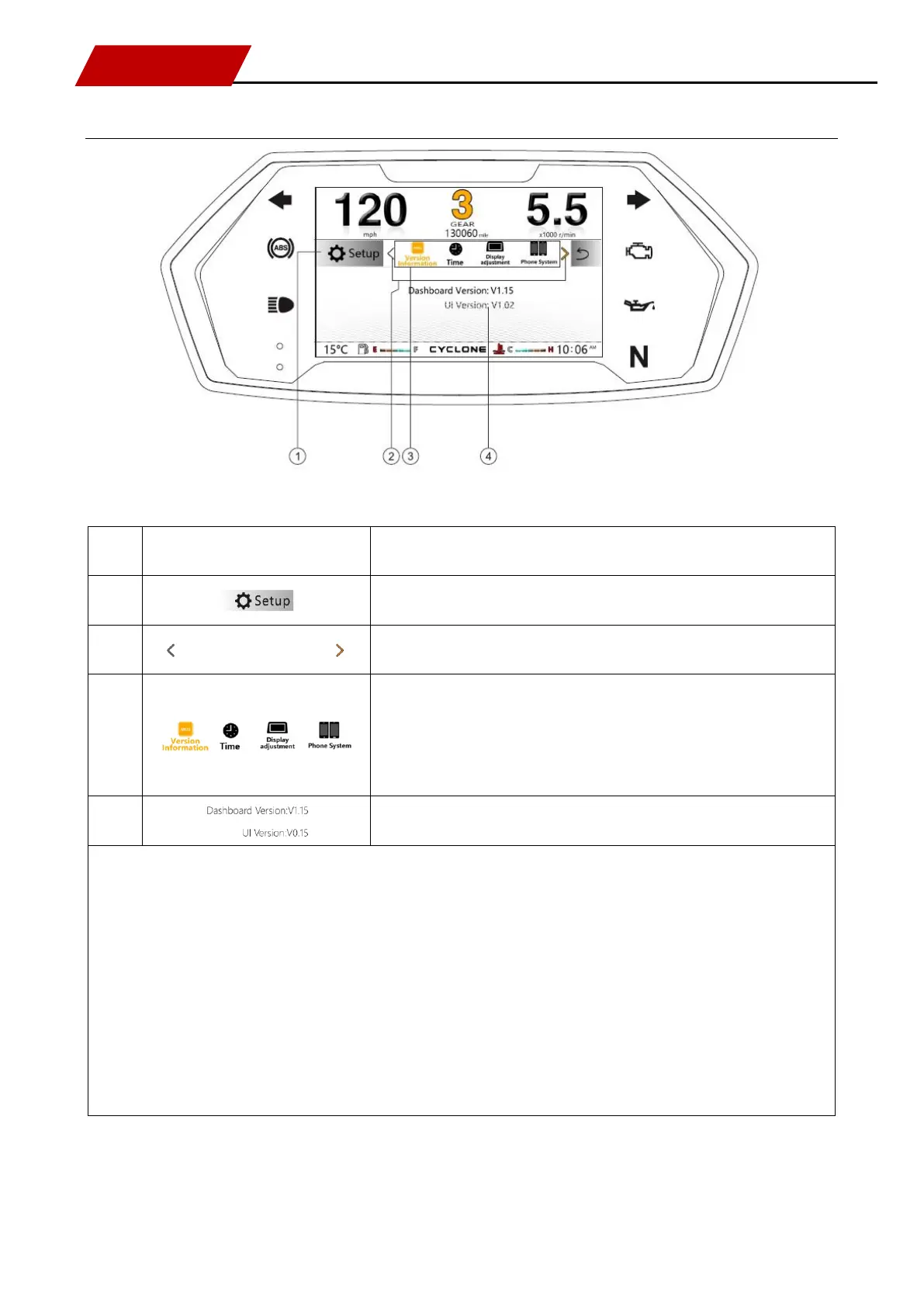
Description of setting interface
Description of interface
No.
Icon
Interpretation
1
Setting (main title)
2
Left and right switching arrow setting option (when switching to end
option, left arrow shows gray display)
3
OBD/
Setting function option (version information, time, display
adjustment, cellphone platform, driving information, OBD fault,
ambient lamp status, language, metric system / British system
switching, maintenance and factory reset) scrolling switching.

4
Display function information of current setting
See detail on page 3/4/6/7 for description of other keys and caution lamps.