EasyManua.ls Logo

CyClone RX401 - Page 20

CyClone RX401
28 pages
Print Icon
To Next Page IconTo Next Page
To Previous Page IconTo Previous Page
Loading...
RX401
Model: RX401
19
CYCLONE Motorcycle
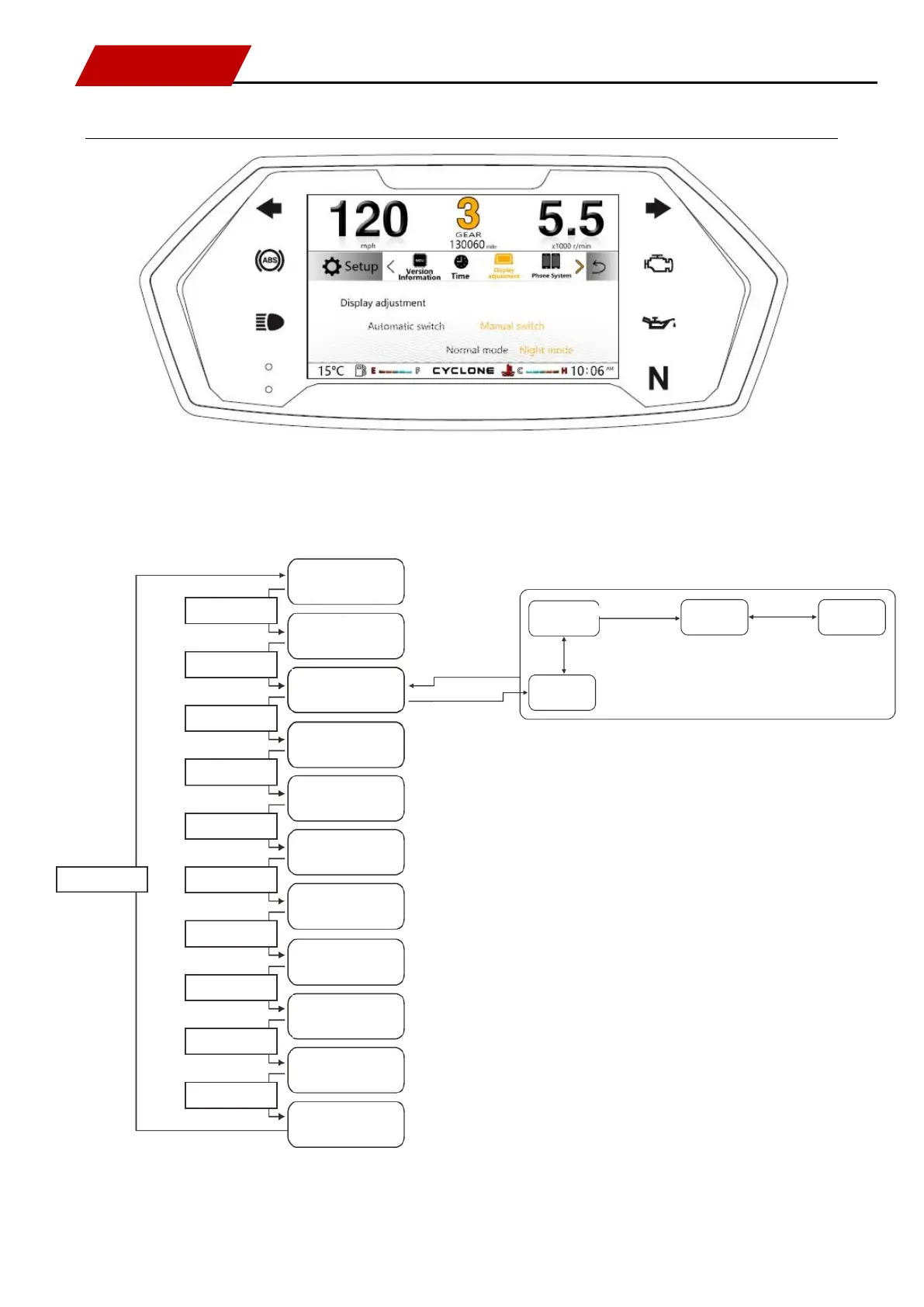
Description of setting menu [Display adjustment]
Press [SEL key] for switching: display adjustment.
Refer to processes in the following logic diagram:
Maintenance
(highlighted content)
Press [SEL key]
Press [SEL key]
Press [SEL key]
Press [SEL key]
Press [SEL key]
Press [SEL key]
Press [SEL key]
Press [SEL key]
Press [SEL key]
Press [SEL key]
Press [SEL key]
Version information
(highlighted content)
Time
(highlighted content)
Display adjustment
(highlighted content)
Driving information
(highlighted content)
OBD fault
(highlighted content)
Language
(highlighted content)
Metric system / British system
switching
(highlighted content)
Factory reset
(highlighted content)
Cellphone platform
(highlighted content)
Ambient lamp status
(highlighted content)
SET
Press and hold SET key
Press [SEL key]
Press [SEL key]
Manual mode
(highlight and flash)
Normal mode
(highlight and flash)
Night mode
(highlight and flash)
Automatic mode
(highlight and flash)
SEL
Press and hold SEL key